How to Cheating on Exam Application
Assalamualaikum Warahmatullahi Wabarakatuh, hello guys in this article i wanna tell a story how i could be cheating on exam application made by one of Indonesia android developer for his own school environment, long short story i saw he’s posting on facebook group about developing the exam application called EXAMBRO with bunch of protection such like Do Not Distrub Profile, KiosK Mode, Pin for Exit and buzzing sound when someone indicate to cheating probably exiting the application.
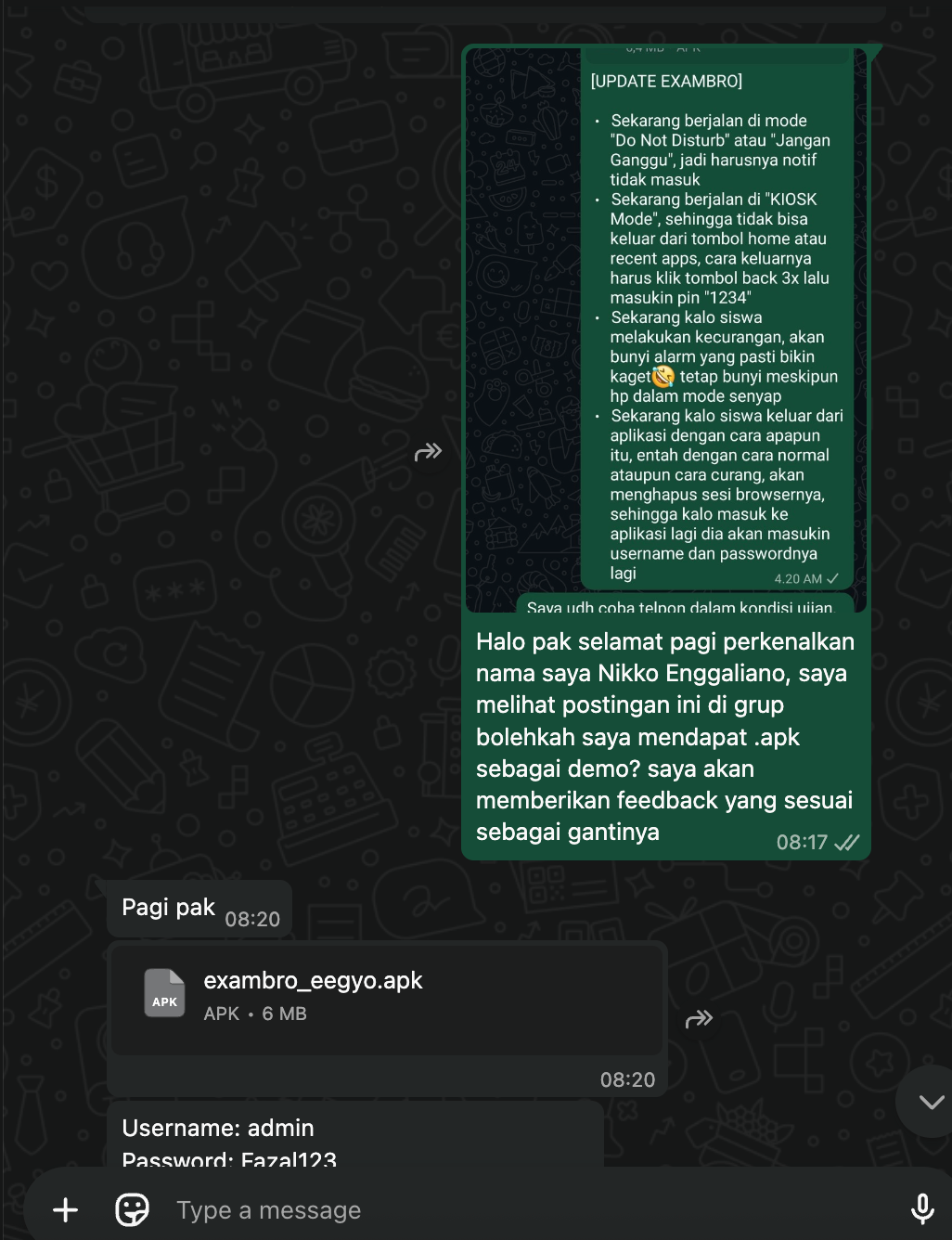
Above was my chat with the main developer of EXAMBRO he’s politely giving the .apk files and the admin credentials for the application exam, from this i will clarify every flaws, every how to cheat on this the developer already told before and he’s aware, the intentional of this article just for the personal documentation. Anyway the application is not purely native the mobile hit the endpoint, the mobile application just embed the url into web view with several protection that listed above.
Bypass Anti Mirroring & Screenshot (Frida)
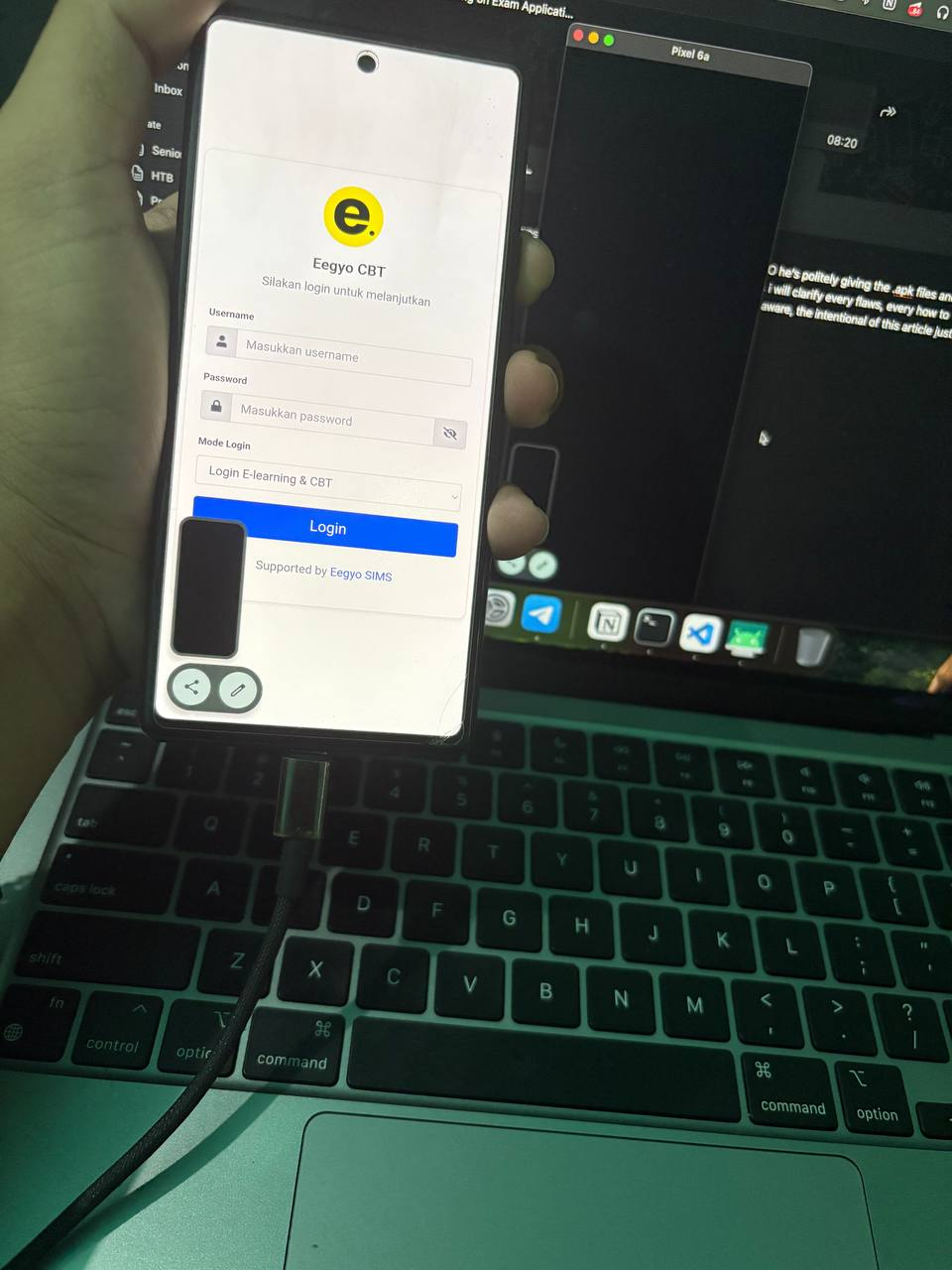
At this picture above we could see the application cannot be mirroring with scrcpy not just it, we not even can take the screenshot, showing in the picture above the screenshot taken turn into black image only, this protection happen because the native android called FLAG_SECURE windows flag

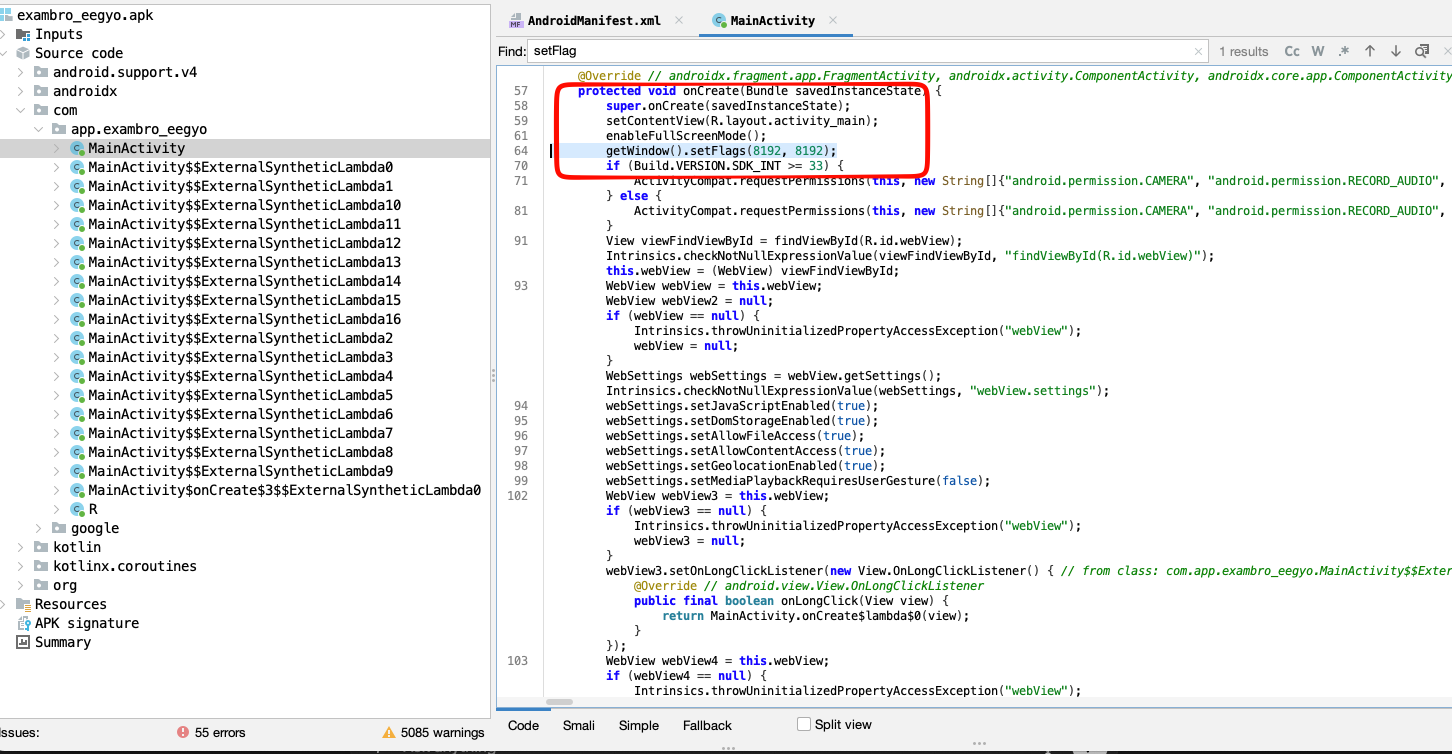
When try to decompile the application i found the part of code that seted up the FLAG_SECURE at MainActivity with this part of codes getWindow().setFlags(8192, 8192); why this tho? since
FLAG_SECURE in decimal is 8192 / 0x00002000
So how to bypass this type of protection for other application beside EXAMBRO? simply we could hook the flag with frida with this code
Java.perform(function () {
    var Window = Java.use("android.view.Window");
    var FLAG_SECURE = 0x2000;

    Window.setFlags.implementation = function (flags, mask) {
        if ((mask & FLAG_SECURE) !== 0) {
            if ((flags & FLAG_SECURE) !== 0) {
                flags &= ~FLAG_SECURE;
            }
        }
        this.setFlags(flags, mask);
    };

});
The idea of the code is function of setFlags is having 2 parameter flags dan mask i personally hook the both parameter checking the flags to be set is FLAG_SECURE if yes just ignore the bit and set everything into 0, so after the endd of setFlags called the value will be setFlags(0, 8192) and the screenshot and anti screen mirroring will be bypassed below.

If you are wondering why not straight forward using if mask == 8192 and flags == 8192 then set setFlags(0, 8192) because i faced several case that the value not so constant sometimes it could be getWindow().setFlags(8192 | 1024, 8192 | 1024); or setFlags(currentFlags | 8192, 8192); so thats why i’m using bit operator to make sure the flag or mask it’s something that i need to be hooked!
Hardcoded Password
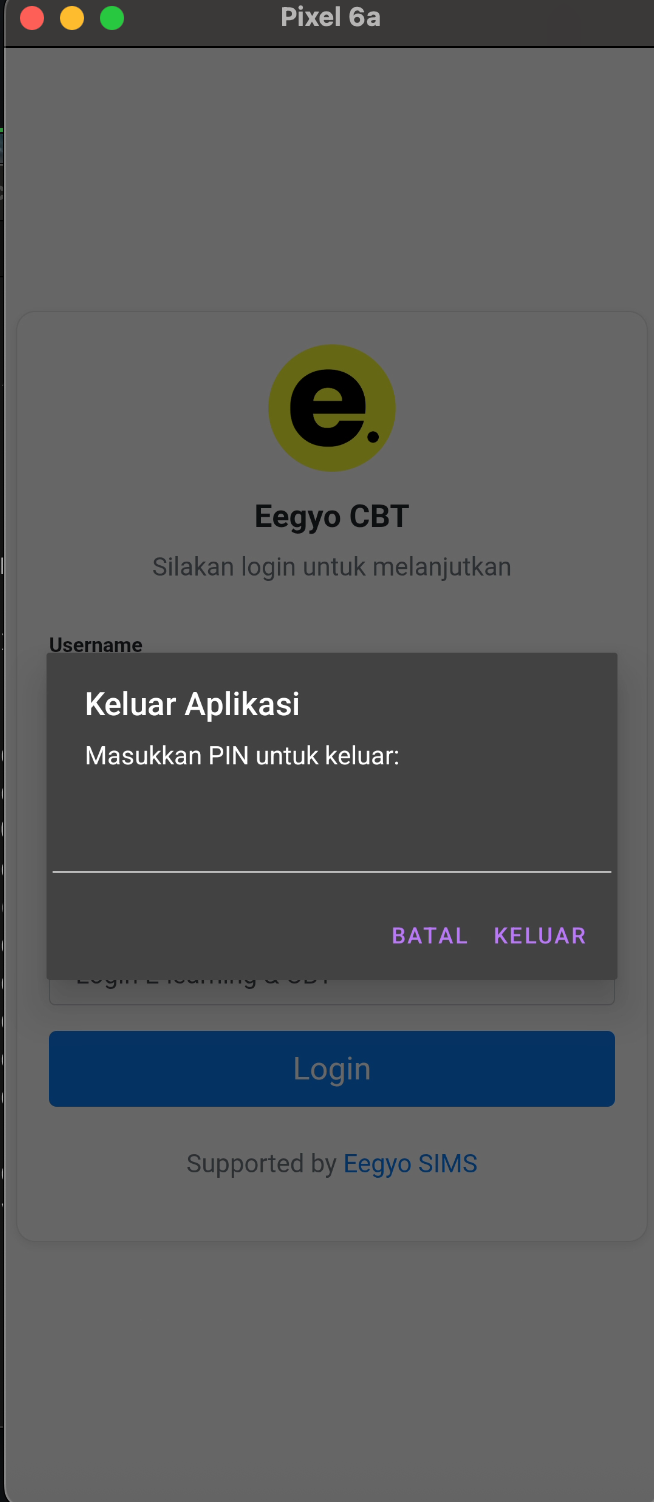
When wanna to exit the application, the application is required the PIN for exact close the application, this Modal pop up it’s really easy to bypass, just decompile the application and the password pin it’s easy to spot the hardcoded, it’s on function called showExitConfirmation$lambda$9
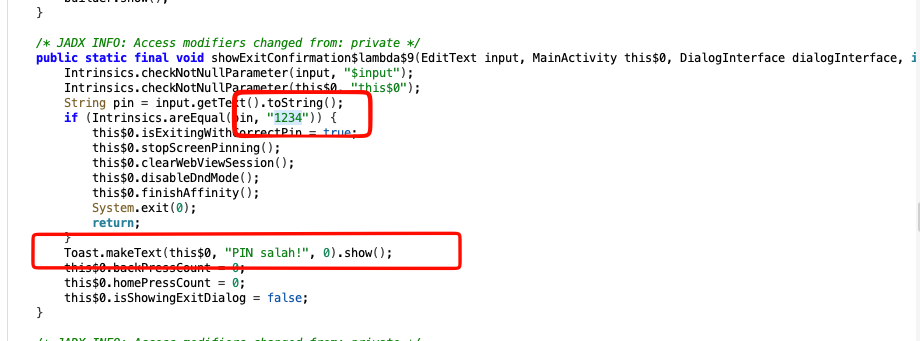
So the password it’s 1234 for exiting the application, it’s easy to spotted, yeay!
Ultimately Guide to Cheat
Hooking with Frida will be so too much effort with PoV as student who want cheating on the application, the ultimate guide to cheating was change the behavior of application, i will breakdown details
Disable anti screenshot / anti screen mirror
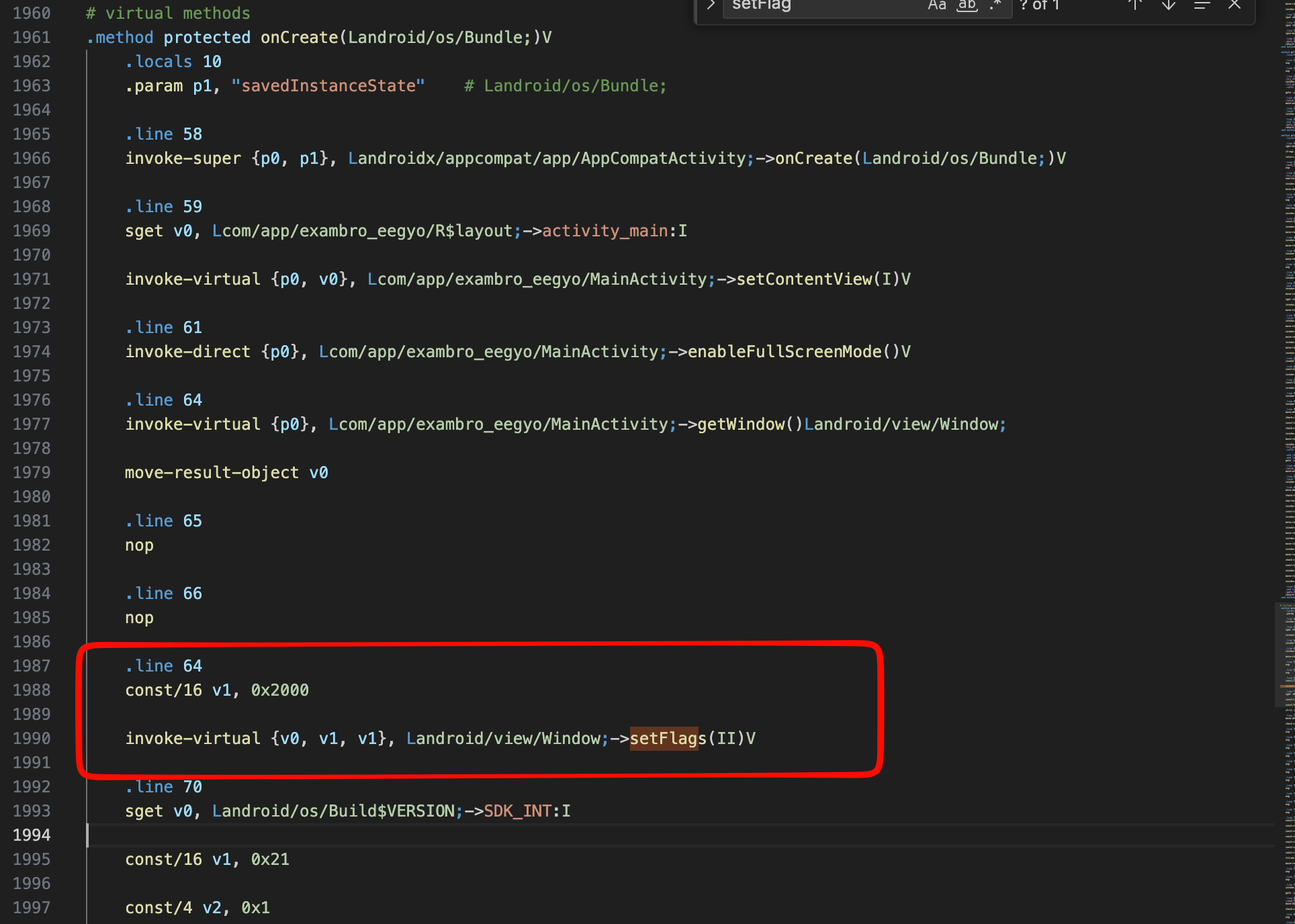
Above was the smali code of the application, just nop the instructions to like the code i do below the application will not set flag to FLAG_SECURE
  .line 59
  sget v0, Lcom/app/exambro_eegyo/R$layout;->activity_main:I

  invoke-virtual {p0, v0}, Lcom/app/exambro_eegyo/MainActivity;->setContentView(I)V

  .line 61
  invoke-direct {p0}, Lcom/app/exambro_eegyo/MainActivity;->enableFullScreenMode()V

  .line 64
  nop
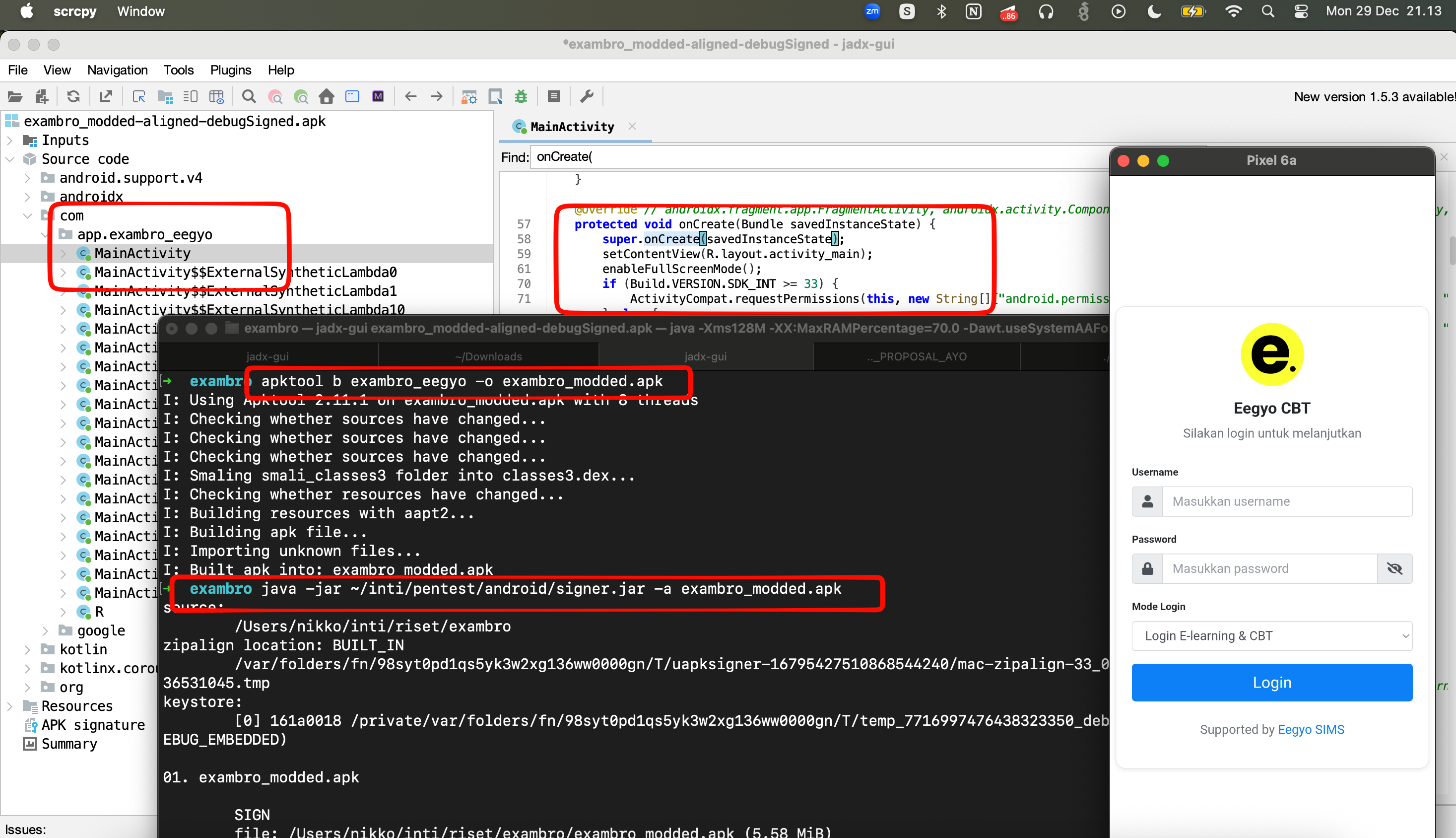
apktool d exambro.apk→ this is for decompilation to output .smali- Edit what part to edit
apktool b exambro_eegyo -o exambro_modded.apk→ recompile to .apk with namejava -jar ~/inti/pentest/android/signer.jar -a exambro_modded.apksign the application you can download hereadb install→ install the application again
So after this step below to decompile untuk recompile and sign the application, the application it’s running successfully without any restrictions with FLAG_SECURE, yeayyy with this modification we successfully cheat the first parts!
Patch the PIN Required
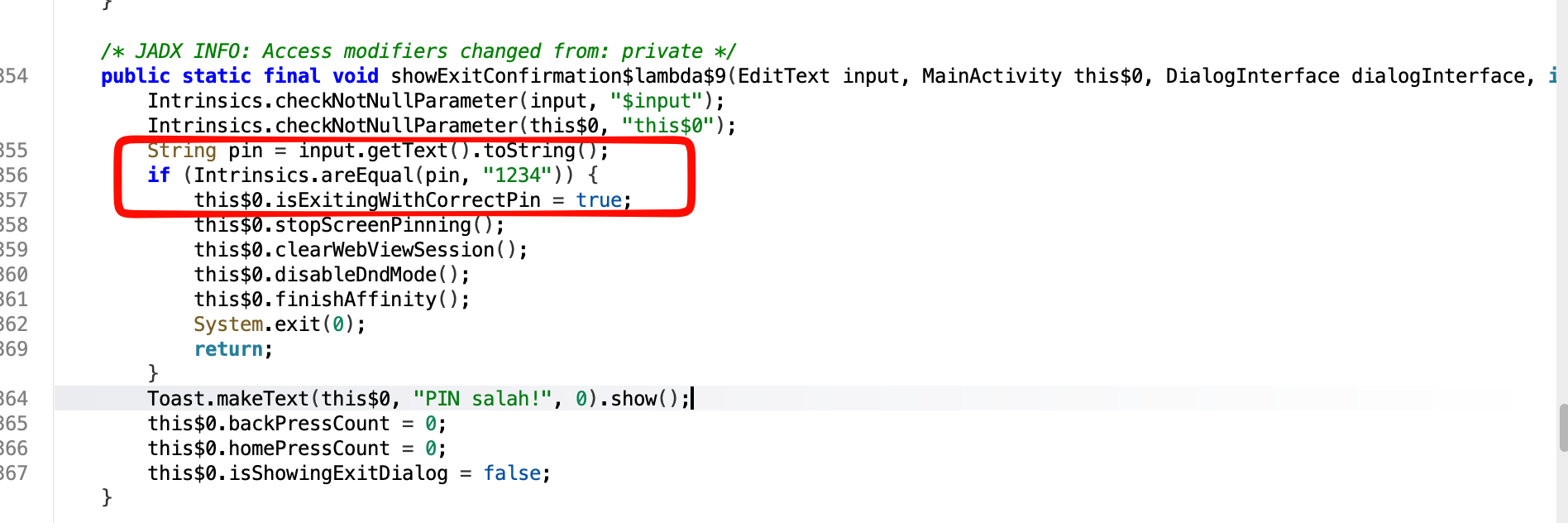
So when exit the application it will be required PIN to input, the code on decompile menu will look like this below, (look readable) and easy to modified,
But when at .smali format it will be feels like read .asm, the syntax more awful to read but it’s still more easier to read rather than .asm
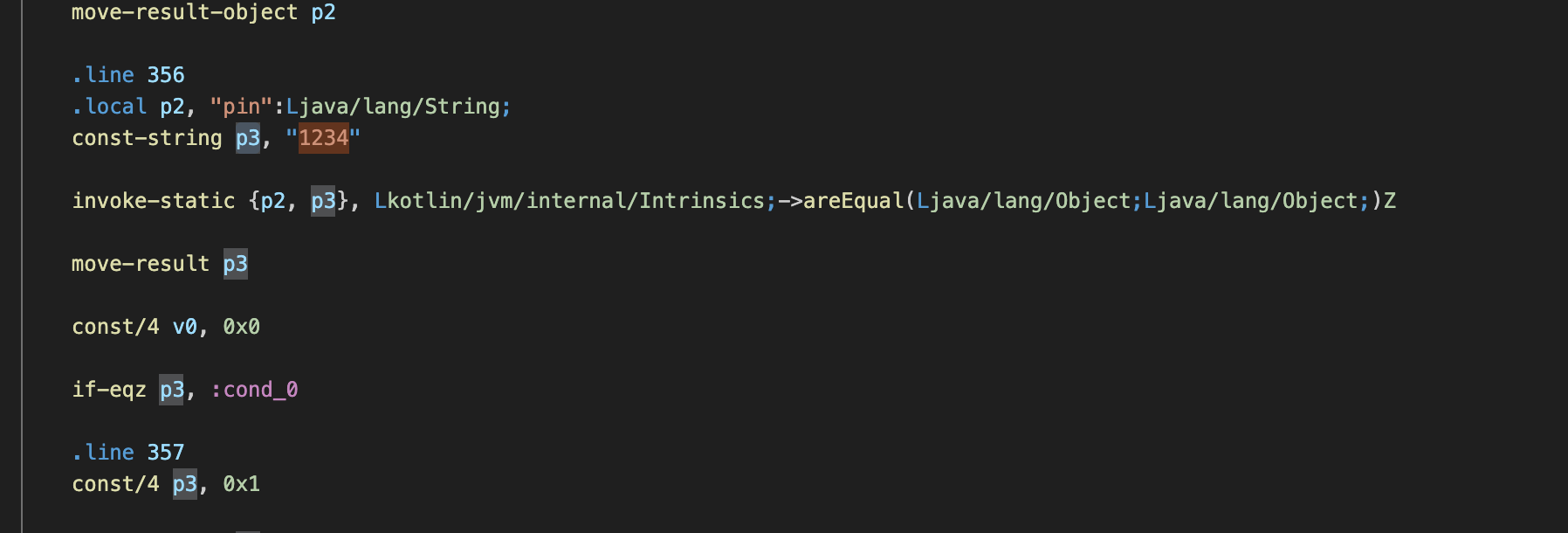
So the if condition it’s defined at with syntax if-eqz we could assume the function could be if-equal-z? when read this document it’s mean if p2 (input) and p3 (hardcoded) pin match it will jump into :cond_0 the :cond_0 was the core of exit, so how really to patch this code.
move-result p3
const/4 p3, 0x1
const/4 v0, 0x0

if-eqz p3, :cond_0
The idea it’s set p3 to be true, so make if-eqz true will always jump into the right conditions, it’s quite easy methode, but in another way it could be like this
const/4 v0, 0x0
if-nez p3, :cond_0
The decompilation with jadx will be look like this bellow, the code will be represented as 1 != 0 that will be always to be true and going into right condition to exit!
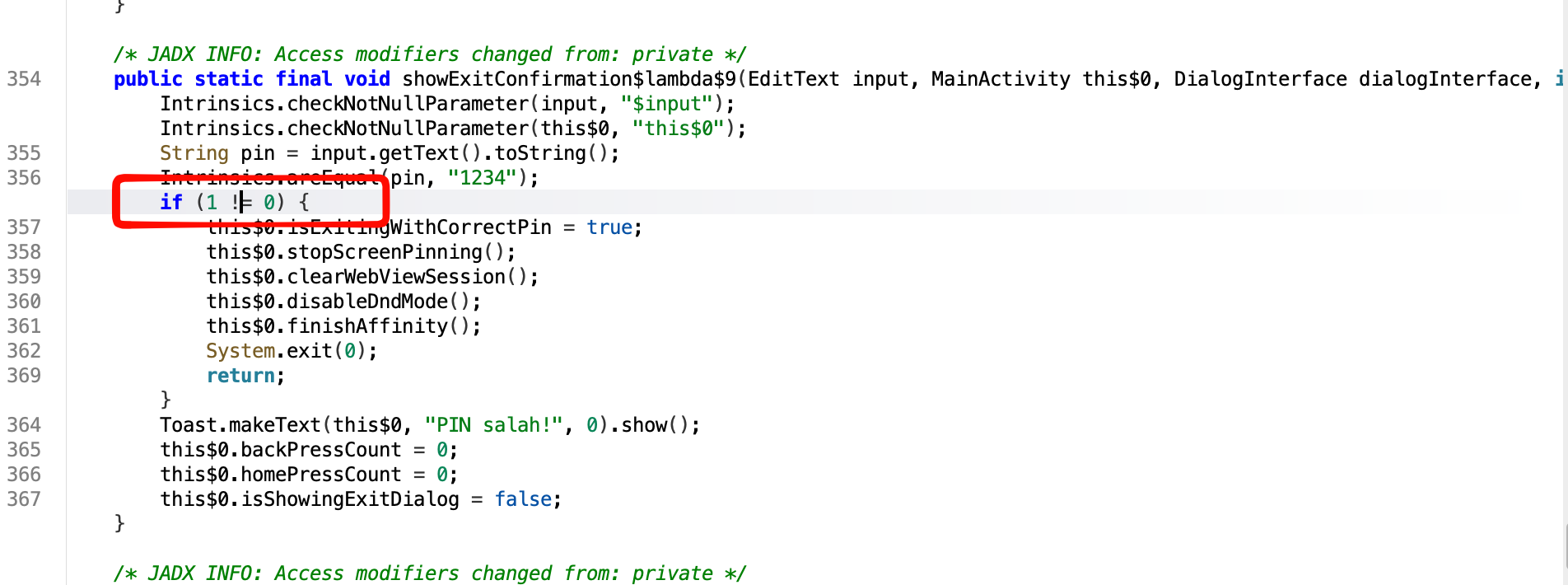
This type of patch will be have a bunch ways such like this below listed:
- Patch the hardcoded pin to whatever you want!
- Patch the if conditional to make it always true
- Patch what ever input will be always true
What ever it’s it will be works well! so pick what ever you like!
Lazy Move but Effective
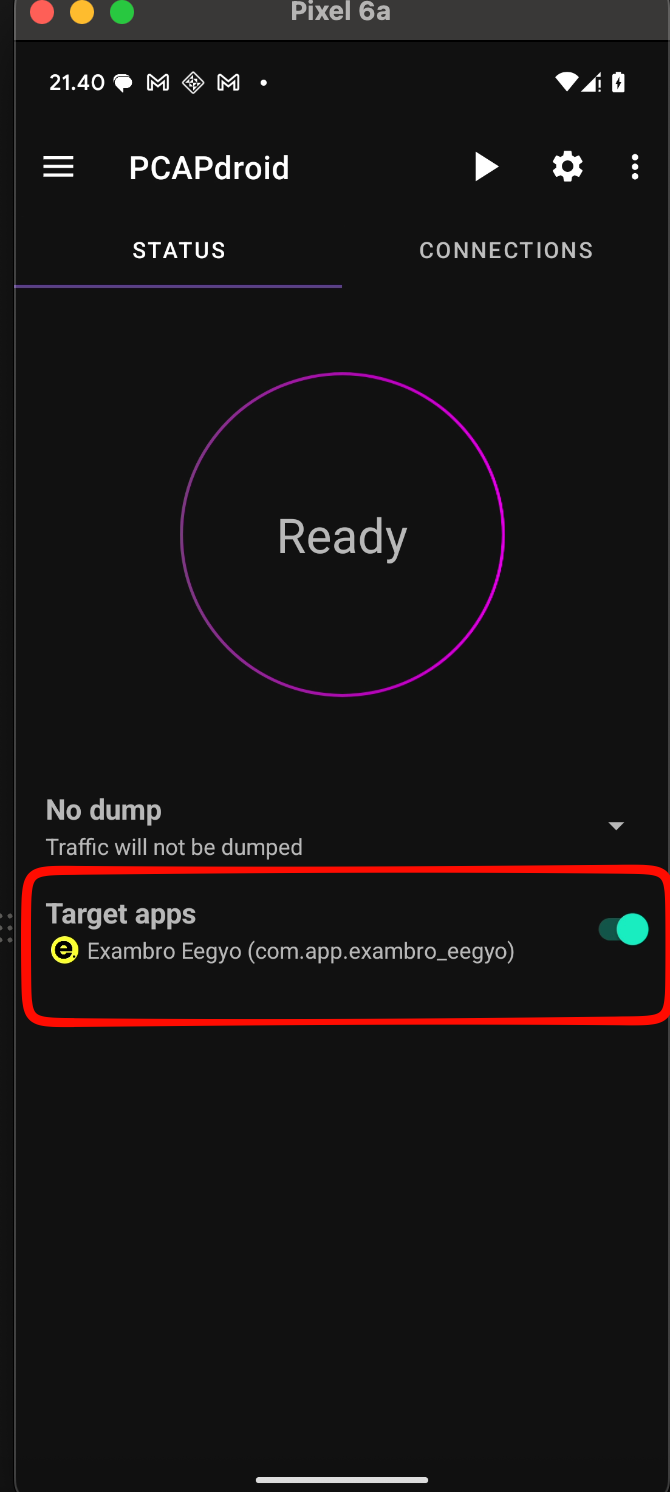
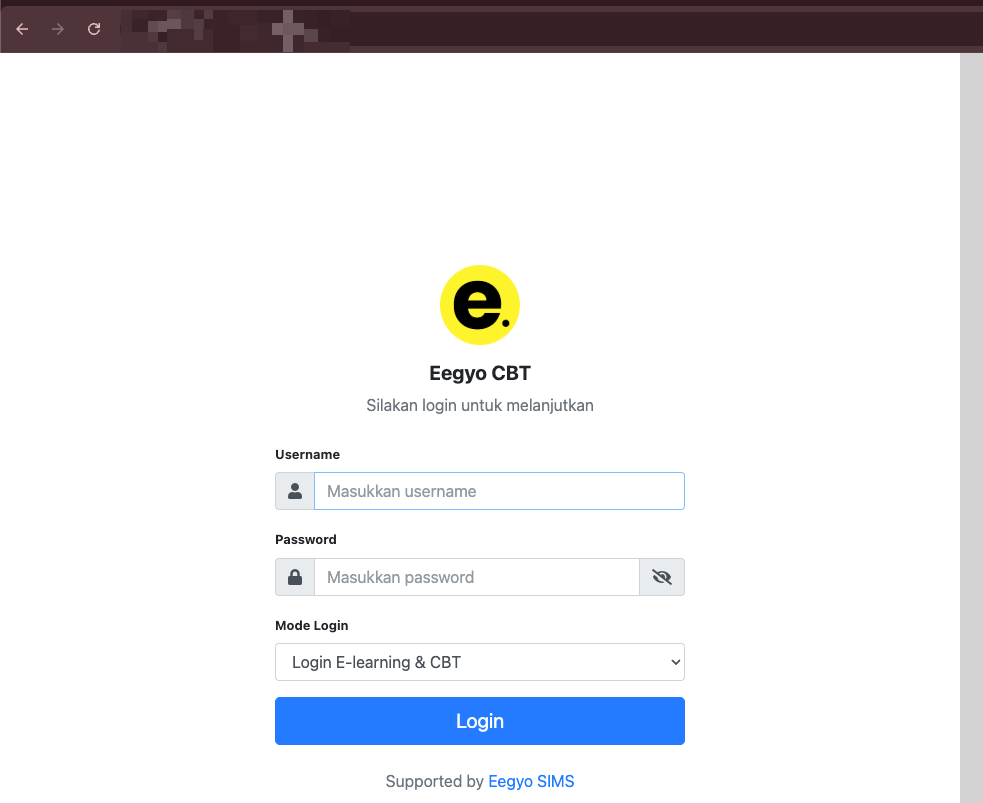
First of all the application it’s not consuming the rest API for real application it self, but only web-view embedded, so the beautiful way just need to find the right web-endpoint that embedded into the application, better way just using another application called PCAPdroid this is the official link.
- Set the application of target exambro to PCAPdroid like that
- Click Ready to the PCAPdroid and start the exambro application like usual, and on tab
connectionsyou will be get the exact web endpoint of exambro application
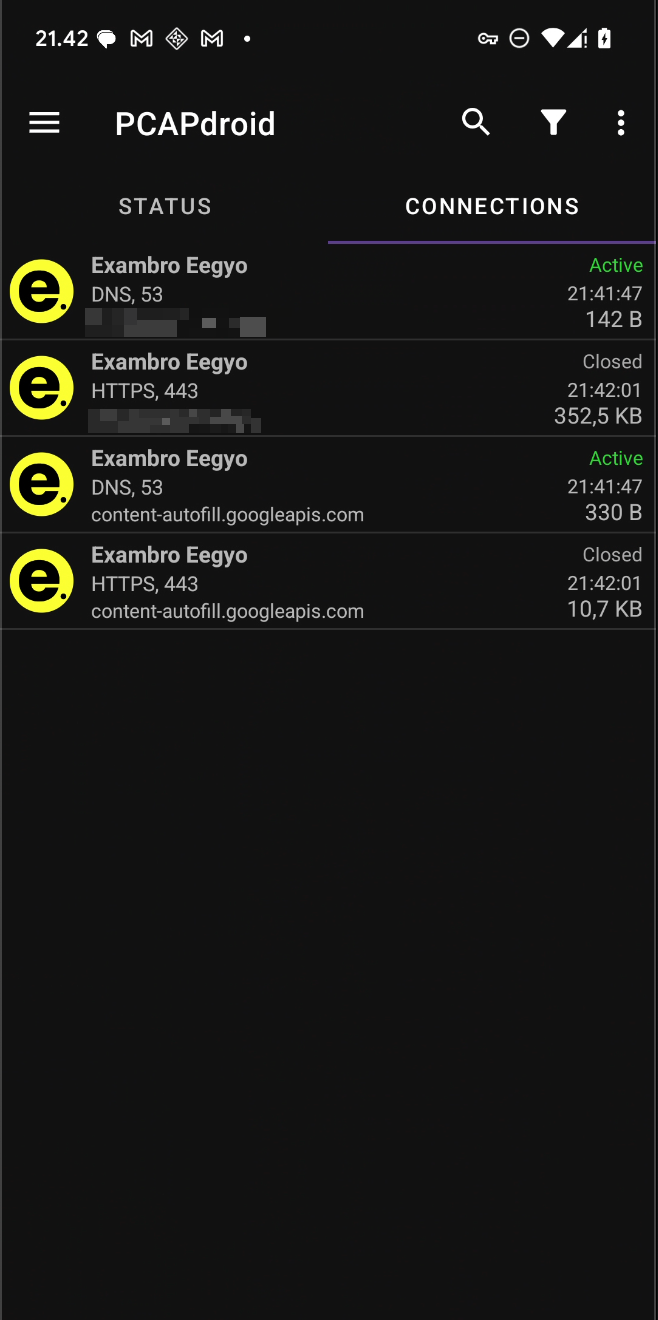
After getting the application endpoint just do the exam on the normal browser, you will get exact same application, exact same things but with no limitation! happy exam and cheating! <3
Closing Article
This article it’s not mean to be make a student have cheating strategi, it’s just part of research how to make a better way to build an application, but yeah i wanna say sorry to whatever of this article that damage in future, this is just part of research hobby! so i wanna give the solution to whoever want to build android application this strategy will be useful for you:
- Using signature checking, make sure the signature it’s same like the hardcoded
fun isSignatureValid(context: Context): Boolean {
    val packageInfo = context.packageManager.getPackageInfo(context.packageName, PackageManager.GET_SIGNATURES)
    val signatures = packageInfo.signatures
    // Ganti dengan SHA-256 fingerprint release keystore kamu
    val expectedSignature = "XX:XX:XX:XX:XX:XX:XX:XX:XX:XX:XX:XX:XX:XX:XX:XX"  // dari keytool -list -v -keystore your.keystore

    for (signature in signatures) {
        val md = MessageDigest.getInstance("SHA-256")
        md.update(signature.toByteArray())
        val currentSignature = String.format("%02X:%02X:%02X:...".format(*md.digest().map { it.toInt() and 0xFF }.toTypedArray()))
        if (currentSignature == expectedSignature) return true
    }
    return false
}-
Using the public open source tools UnUpdated
-
Prevent the direct access to web application? it’s quite hard and will be bypassable but one of kind to make it slower, set a custom user-agent, custom header and detect width of screen to detect the application is accessed by official mobile application or other clients
 if "mobile-123" in user-agent:

 if "custom" in headers:
Yeah guys! i think it’s wrapped, i hope everyone enjoy reading this as security research, as developer or as student it self, once again sorry and Wasalamualaikum Warahmatullahi Wabarakatuh.