Assalamualaikum Warahmatullahi Wabarakatuh, Taqabbalallahu minna wa minkum. Happy Eid al-Fitr, my lovely internet friends 🧡 in this article i wanna share how i’m doing Scrapping in hopefully works for every website even have an authentication mechanism.
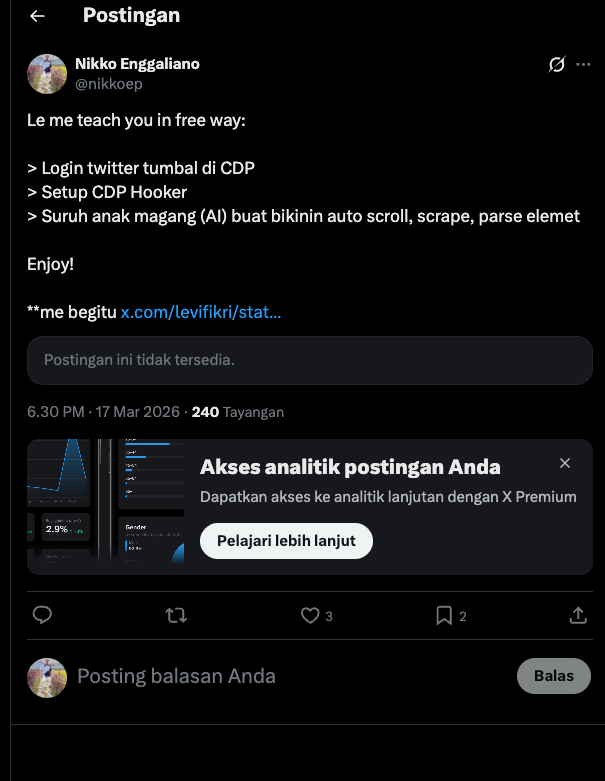
So the motivation about why this article made was first of all because someone at Twitter said he nearly spend (i don’t have proof since the original tweet was deleted) $2 idk per 100 or 1000 or even 1 tweet only to targeted person, from the original tweet i quoted the tweet and suggest using CDP Mechanism to utilize the Scrapping Mechanism, it’s quite free (your own device it’s not even count as spend, internet or what ever you already owned) but in this slop AI era could be the 2$ it could be using as token spend haha 🤣
About CDP
So what is CDP in first place? CDP is stand for Chrome DevTools Protocol this technology it’s exist year-year ago before AI even happening, the purposing of this protocol mechanism as used on their name is for “Dev” mean to be Debugging, what to debug? the Chrome it self, long-long ago the CDP is just for Remote Debugging like automation fill for boring job QA and similar job desc, personally i’m using the CDP it’s for scrapping since in college.
The main idea of CDP it’s spawn protocol (API) for talking to Chrome instance so CDP basically just language to talk with Google Chrome, imagine like a car Chrome like Engine and CDP like the stir wheels and the dashboards, we (client) it’s like the driver who drive the car via dashboard car.
Very native way to spawn CDP was using chrome binary it self, i will idk trying to draw a diagram so you guys who doesn’t know before have an idea what it’s CDP but here’s the native
- Spawn CDP
chrome --remote-debugging-port=9222- Talk to CDP via
wsprotocol
ws://localhost:9222/devtools/*- Example to Command and Control
{
  "method": "Page.navigate",
  "params": { "url": "https://x.com" }
}
From this native way the java scripts (JSON) syntax it’s clearly read to tell CDP open the x.com with method called Page.navigate rest of method available here, i wont explain much about this, ask LLM to better explanation.
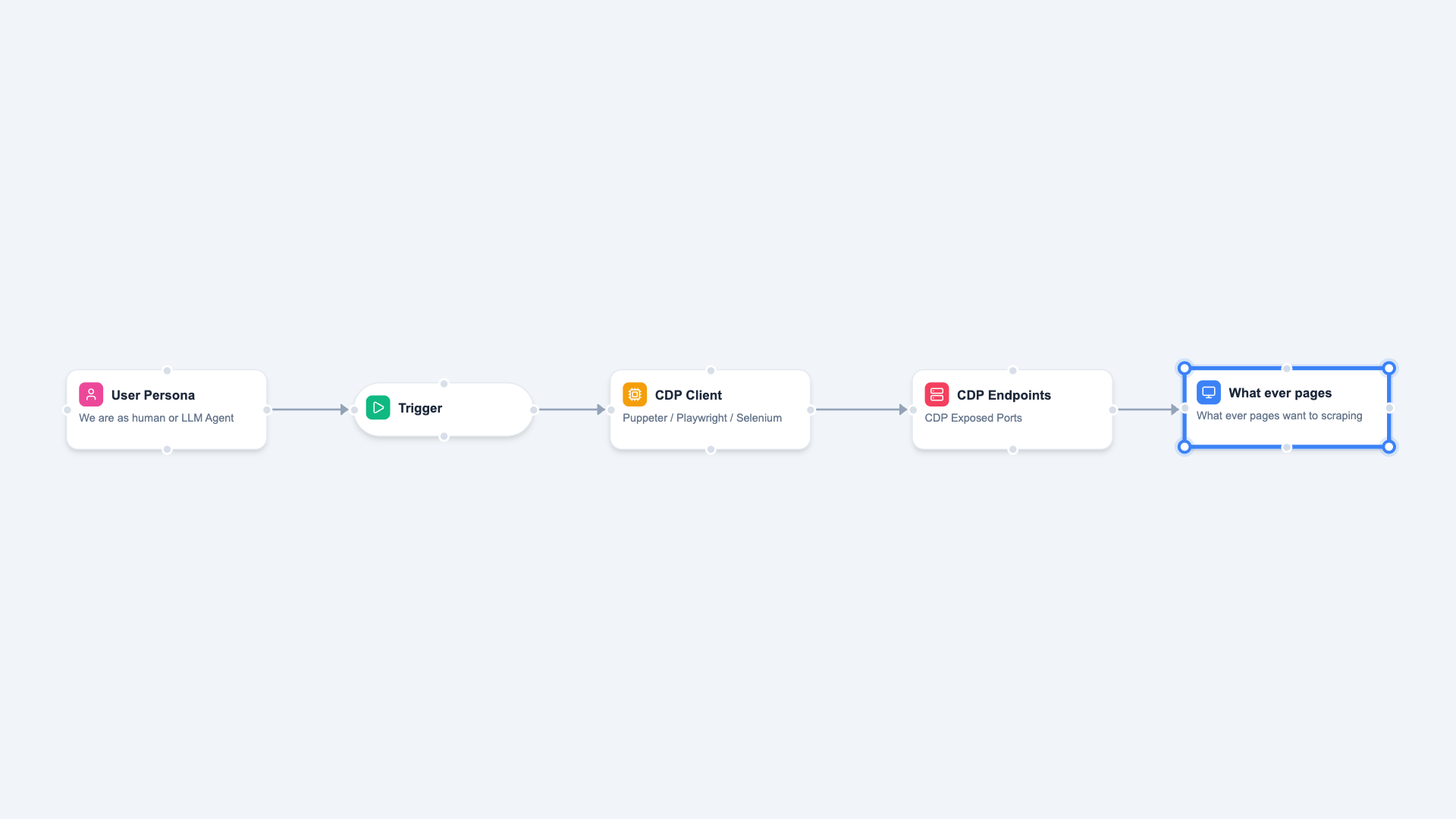
So here’s the IDEA of CDP use case nowadays (on diagram above), i wanna use new label term for my self and for this article the “CDP Client” this is the term that i wanna use for several famous tools like Puppeteer / PhantomJS (Indonesia Pride) / Playwright / Selenium but OOT anyway Selenium from first design was not CDP things related but W3C Standard (WebDriver Protocol) but in current version Selenium it’s support CDP yeay!
Modern Anti Bot
CDP could be the win-win strategy solution for scrapping any(?no) website nowadays, but website nowadays have several anti-bot or anti-scraping mechanism the famous one it’s and and only our lovely Cloudflare, personally i don't face any anti-bot much rather than Cloudflare itself, is they superior enough?
Okay here’s checklist several “comply” things that used by several big company website to make sure their users / visitor wasn’t bot:
- [ ] Is Headless on their UA?
- [ ] Screen display size, must be valid and in right
- [ ] Flagging
webdrivermust befalse - [ ] Have WebGL even
SwiftShaderit’s acceptable haha
This above 4 things that i discovered how modern website detect their customer / visitor is legit person or bot, the first checklist was there is any string called Headless on their UA? this is simply can be bypass with mechanism custom User-Agent not so big deal! rest of it could be resolve with sloped tools that i already prompted 🤣
Managing CDP Multiple Instance
I have been using CDP since college for automation anything, in this professional Pentesting Worlds (Doing test to PEN that wan to release to public for write to book), Web Application Pentest was quite Boring the attack vector was quite same since first history of WEB-2, i ever fully automated fuzzing elements of web and flow with CDP and found 2 critical issue, no need spawn and crashing web driver with selenium, since when CDP failed parsing element it won’t be intentionally crash like Selenium Nature Driver 🫠
So my problem with this CDP lately was i was managing bunch of CDP, every CDP has own profile, every CDP must be unique have a unique session, every CDP need to be labelling, any CDP must be could be remote via networks, but the CDP on nature disable host binding to 0.0.0.0 (Related to Bunch Security Issue) hwaaaaa bunch things need to be automated, so i prompted the dashboard called **remote-chrome-manger here!**
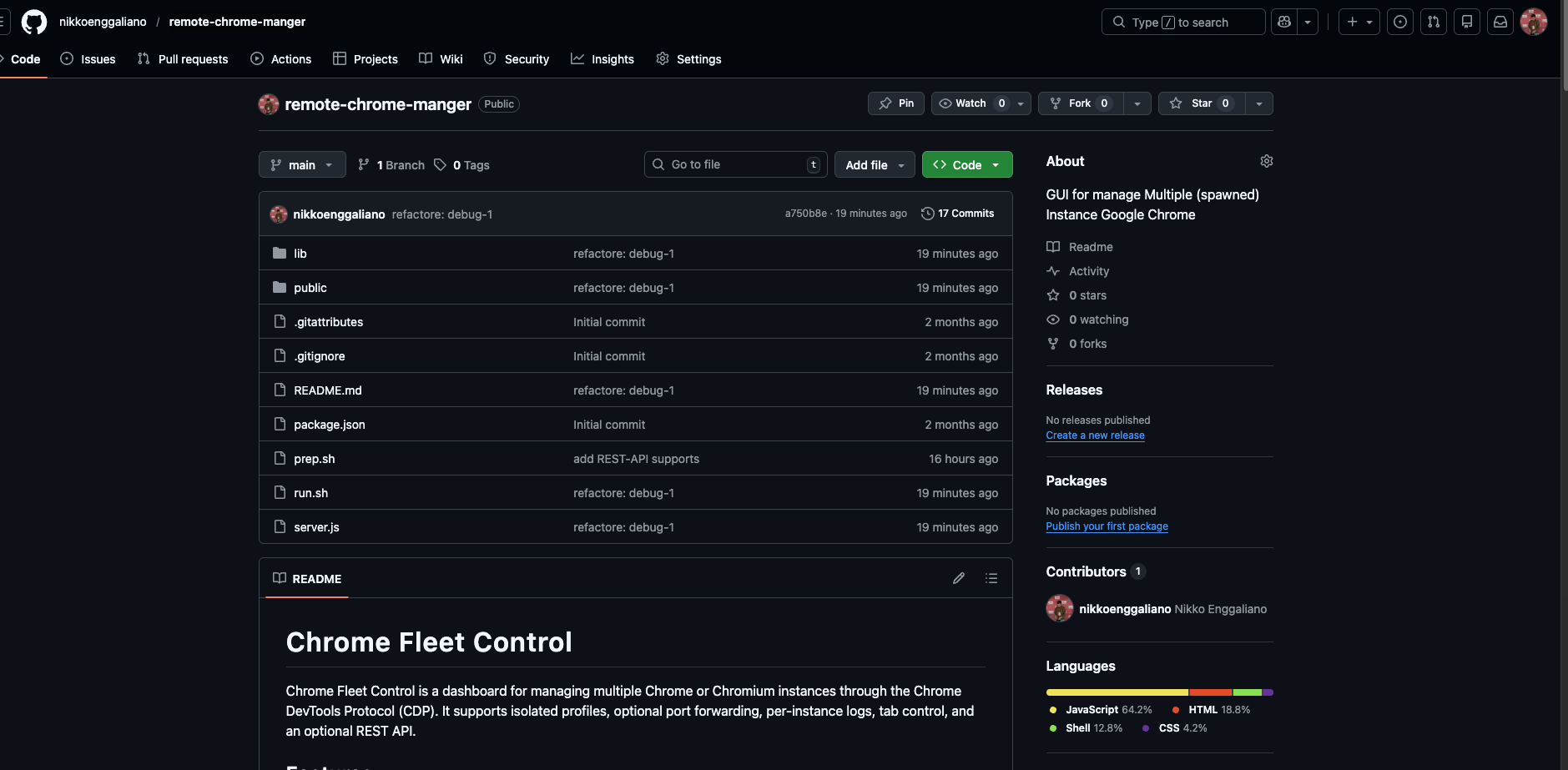
The main idea of this Dashboard was to simplify my task to managing bunch of CDP, since it has GUI Web yeah i just need to click-click to managing CDP instance and watch the log on the web Application also! here is the quick showcase.
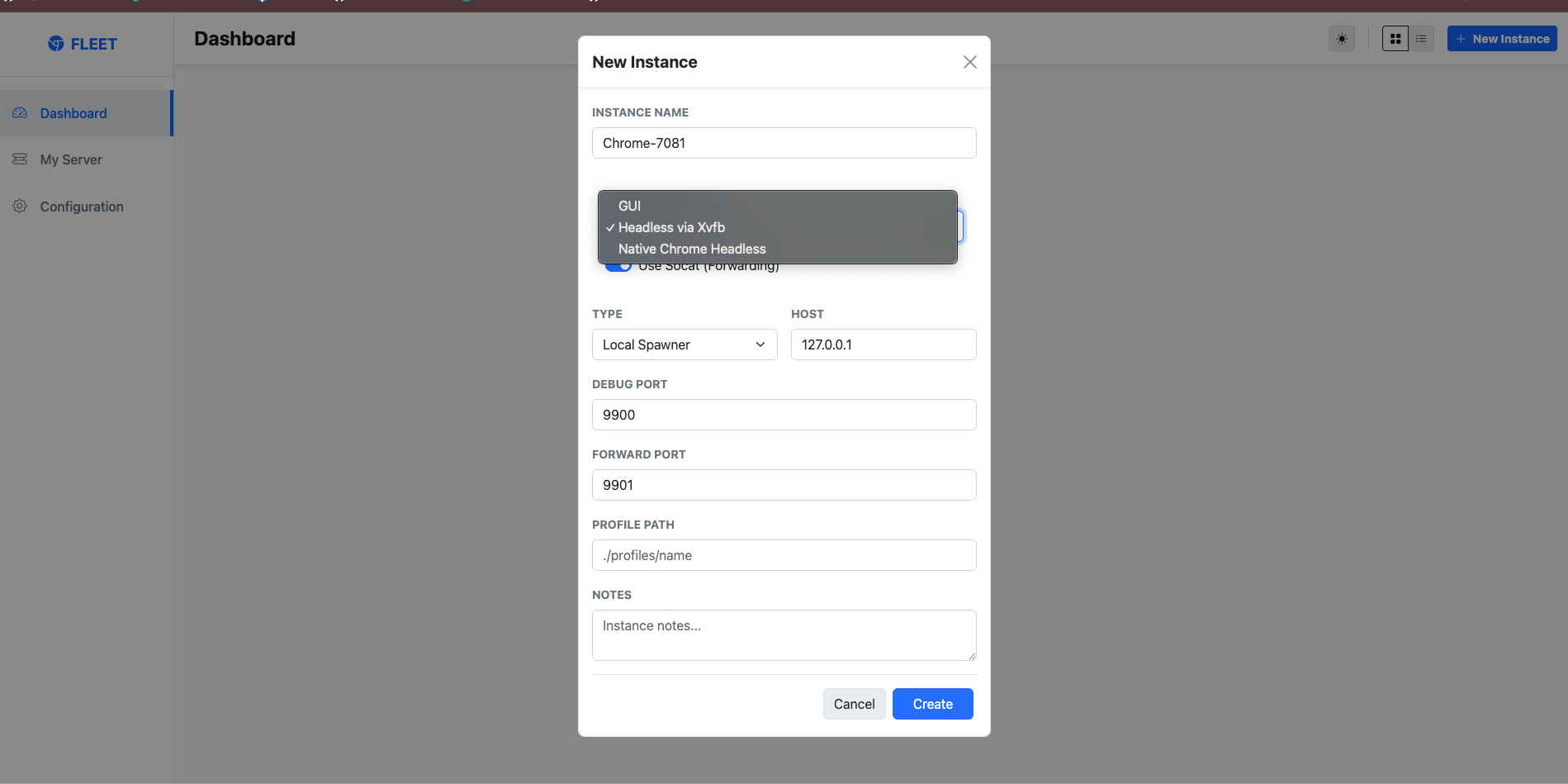
Instance Name is only a label for your browser instance. It helps you identify and manage each instance inside the application, and it does not change how Chrome actually runs.
Launch Mode defines how the browser is started. There are three available modes:
-
GUI
Runs Chrome with a visible graphical interface. Use this mode when the machine has a monitor, desktop session, or active display environment available. This mode is suitable when you want to interact with the browser visually and make use of the machine’s normal GPU/display stack.
-
Headless via Xvfb
Runs Chrome in a headless environment using Xvfb as a virtual display server. This is useful when the machine does not have a physical monitor or active desktop session, but the browser still needs a display-like environment to operate. In practice, Xvfb creates a virtual screen in memory, allowing Chrome to run as if a display were available while remaining invisible to the user. This mode is commonly used on Linux servers and remote environments.
-
Native Chrome Headless
Runs Chrome using its built-in headless mode, without requiring a visible display or a virtual display server. This is the most lightweight option for automation, remote control, and background browser tasks where no graphical output is needed.
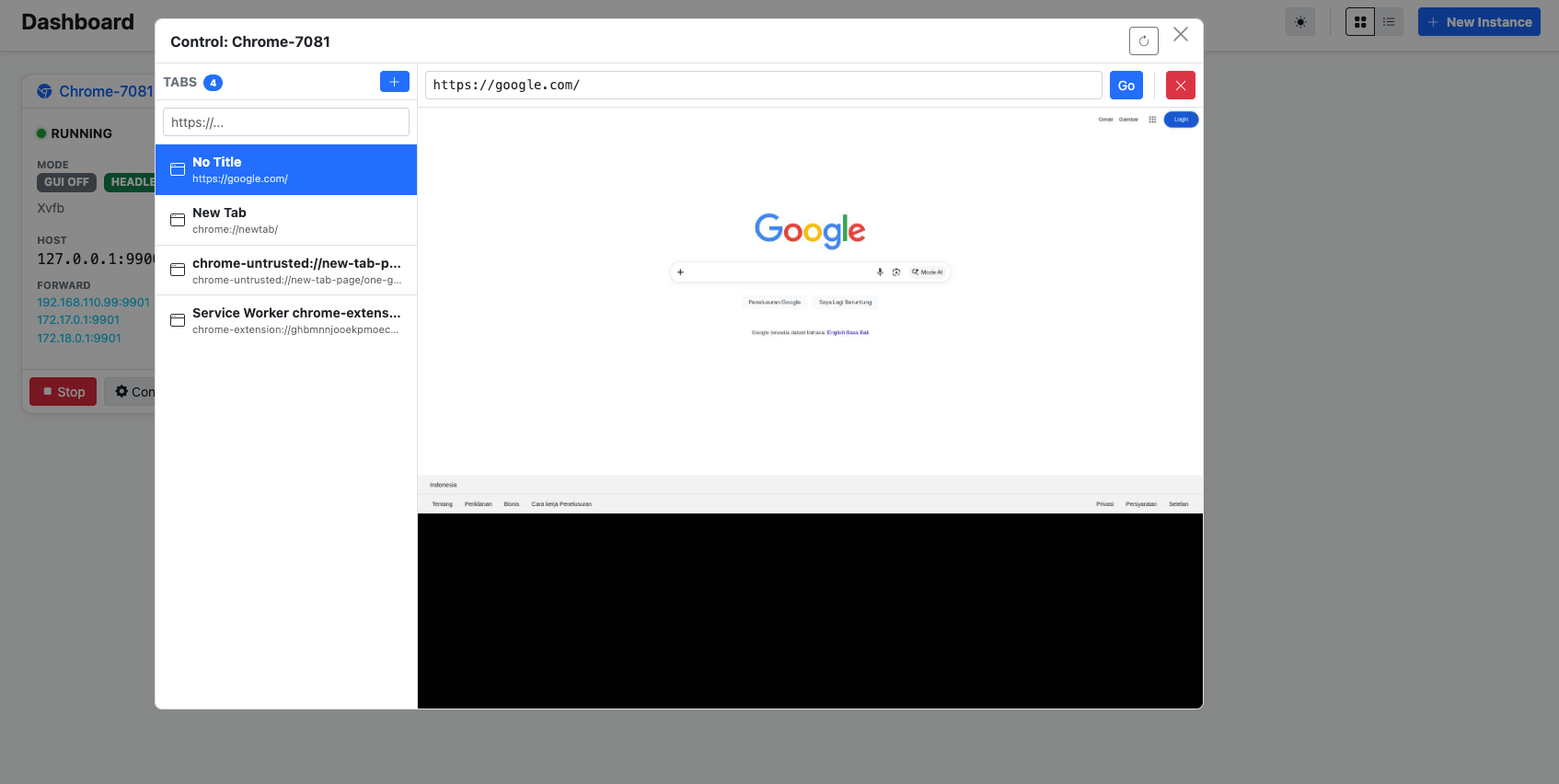
When already start the instance you could interaction with every pages you already open via GUI or via CDP protocol it self, and the interaction was smoother and better than built in Chrome it self called chrome://inspect/#devices you can do scroll up / down, you can click every element just like browser, but at interaction to be honest chrome://inspect was better, but so buggy uee 😢 last but not least the feature that i need most with this GUI was the Instance Logs
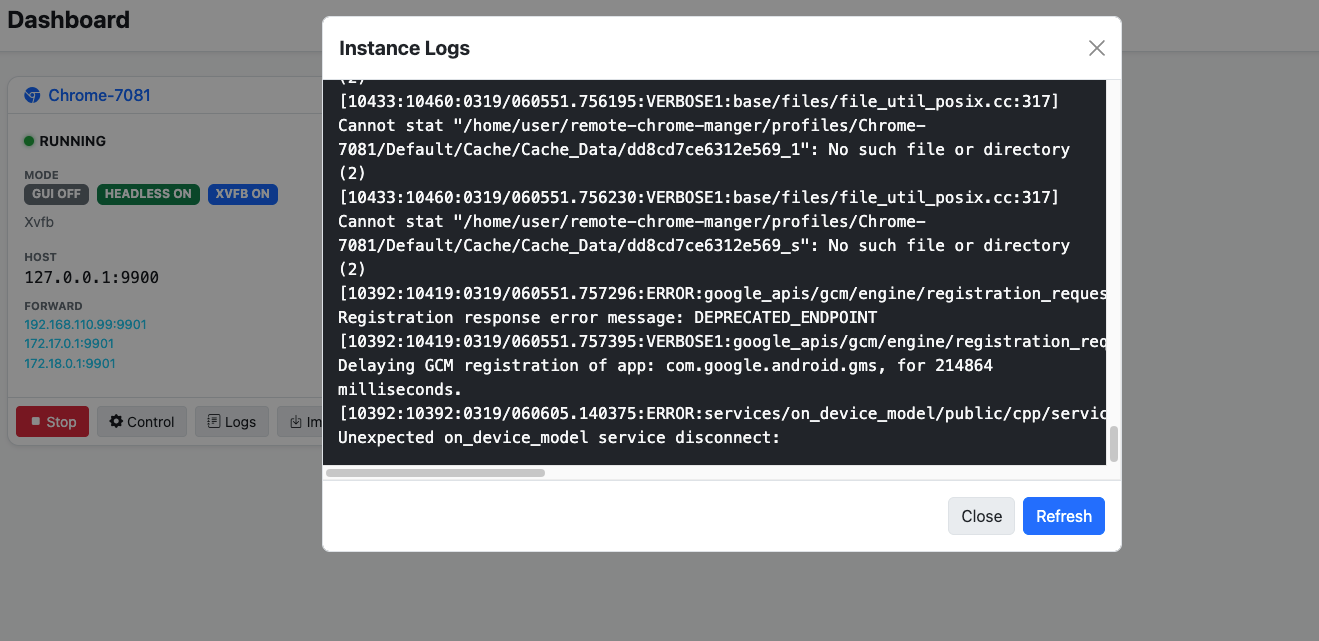
This features so important when we are working with bunch of CDP instance, to monitor, to see what happen inside our CDP yeah at least this tools work well for my self and full fill what i needed much!
x.com Scrapping Way
So i feel i too much yapping with CDP things, so back to nature what this article about, i wanna show the use case of CDP to doing scrapping with my own tools as managing for easier way! so what you need here simply
- [ ] Dummy Account Twitter / X ? why? because Elon possibly angry and banned you meow-meow 😿
- [ ] CDP, you could use your own CDP or using my tools or prompt your own CDP Manager what ever as long you could import the extracted sessions
- [ ] Token LLM / AI Agent, i know most of you lazy or even can’t even write code
Extracting Authentication Session from X
After you have Dummy account, you guys simply need to logged in into your account, Recommendably you guys using normal google chrome for it, just casually browsing like daily use, you can authenticated with phone, with username / password, with SSO Google or what ever it’s acceptable guys!
After that install extension called Get cookies.txt LOCALLY here (https://chromewebstore.google.com/detail/get-cookiestxt-locally/cclelndahbckbenkjhflpdbgdldlbecc) just normal installation and everything will be ready in seconds.
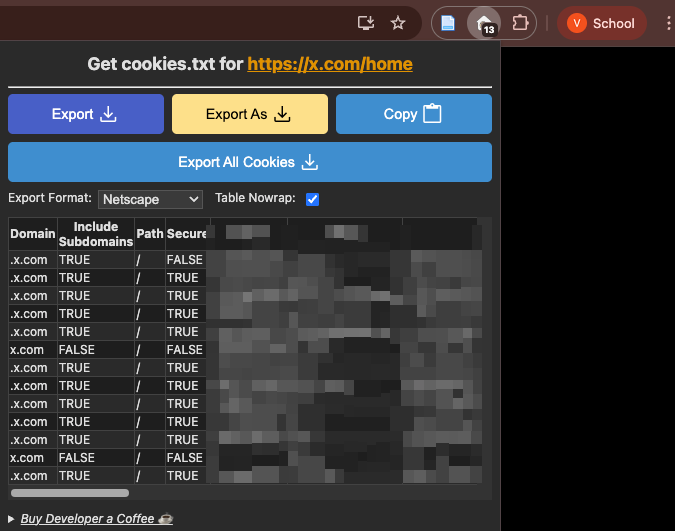
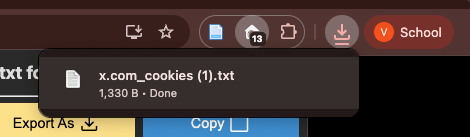
Navigate to your own profile menu on Twitter / X or what ever menu’s and open the extension and press the button of Export you will get the files *.txt like this screenshot below and this first requirement was ready!
Reuse your own X Session via CDP
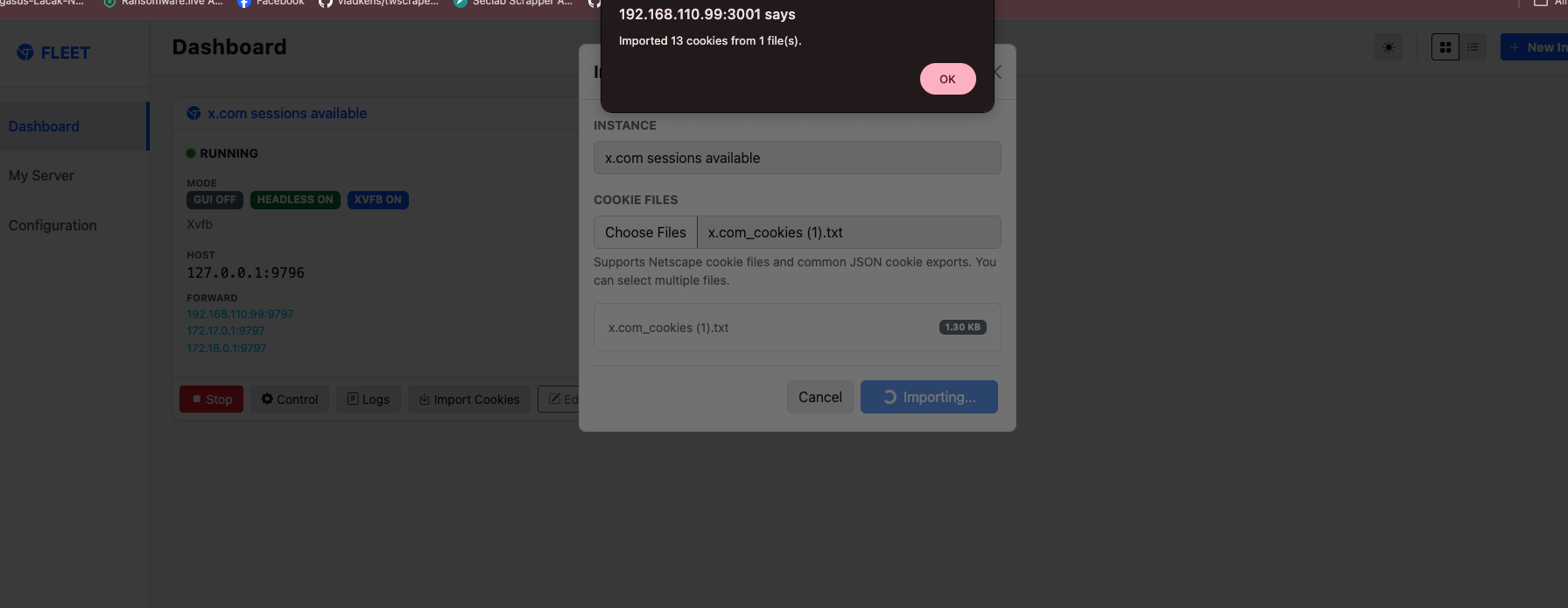
If you guys using my prompted tools there’s already available features called Import Cookies that support exported format Netscape and other format (soon) haha, hopefully but confidently yes because my Intership assitance (AI Agent) it’s should be super capable of it! and after import the exported cookies, make-sure the cookies it’s reuse-able and could be used by visiting the x.com it self.
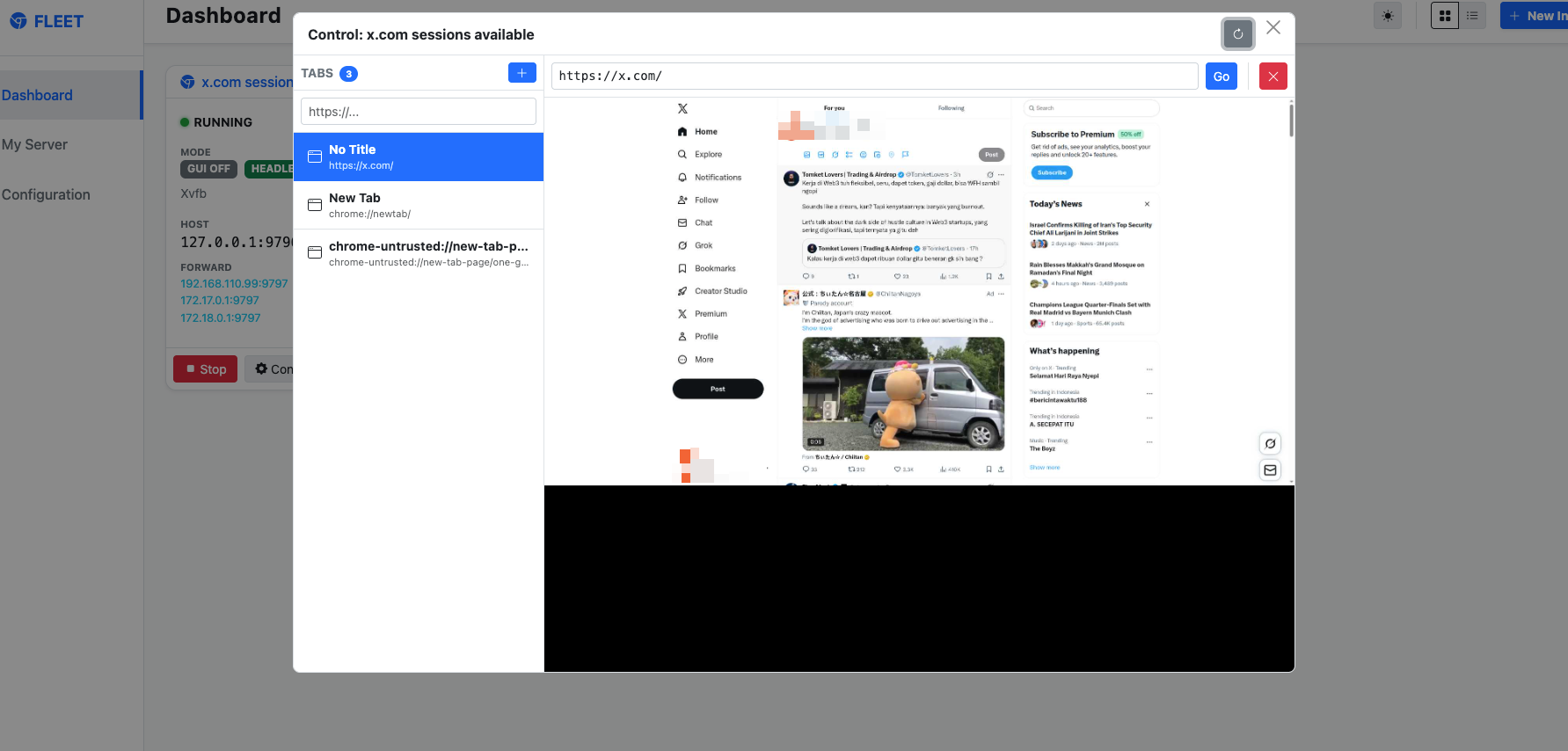
And yeah the cookies it’s already reuse-able and the session was valid since we could visits our timeline from this phase it’s simply completed, the CDP it’s already have the session and it’s persistence yeahh!!
AI Agent CDP and Session
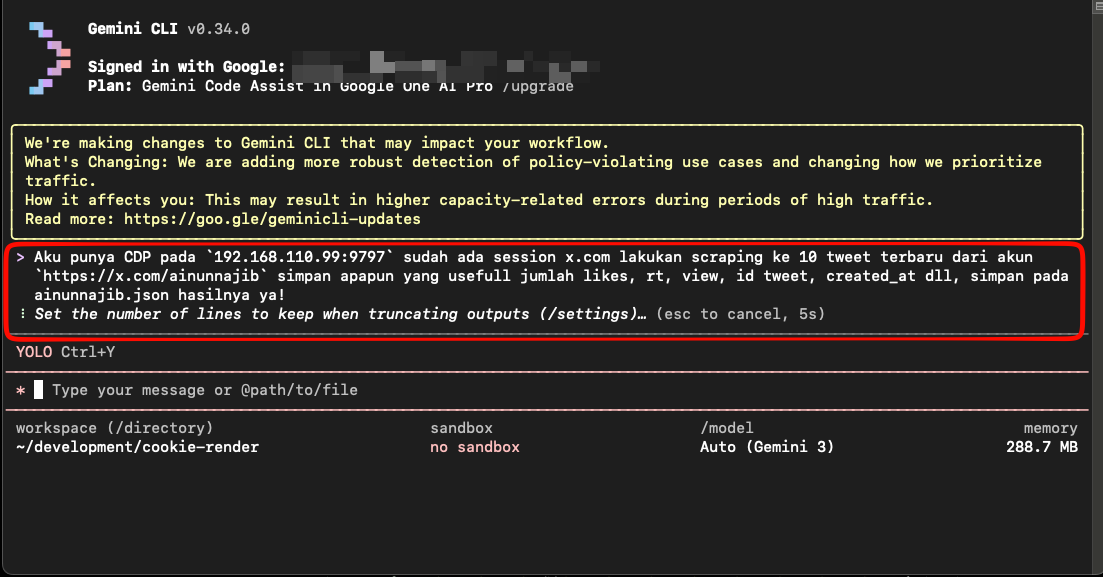
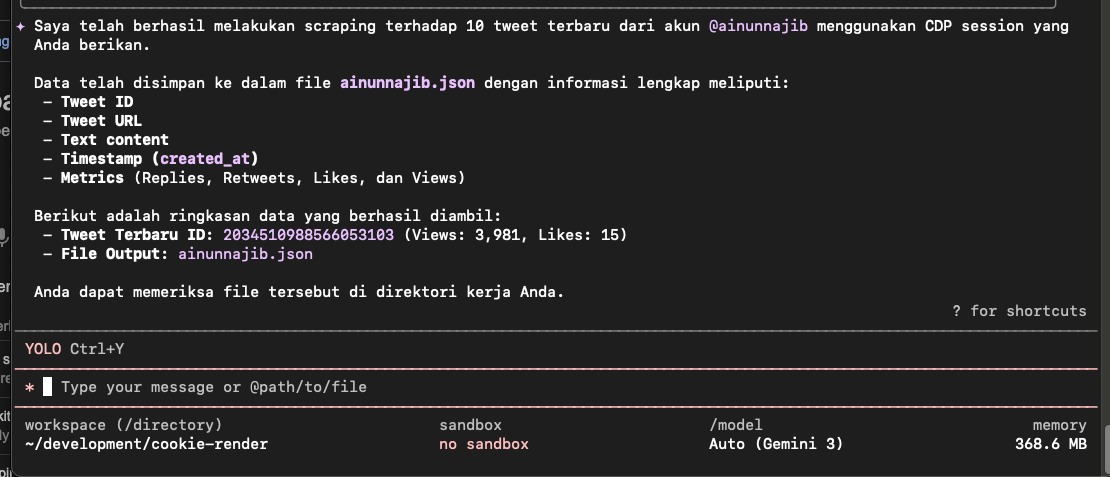
Yeah guys since you are now lazy ew, and barely not even code in 1 month just prompting now i do what you guys doing, ask to GEMINI CLI with Gemini-3 Model to scrapping account with the CDP that already have sessions and this is the results of ainunnajib.json
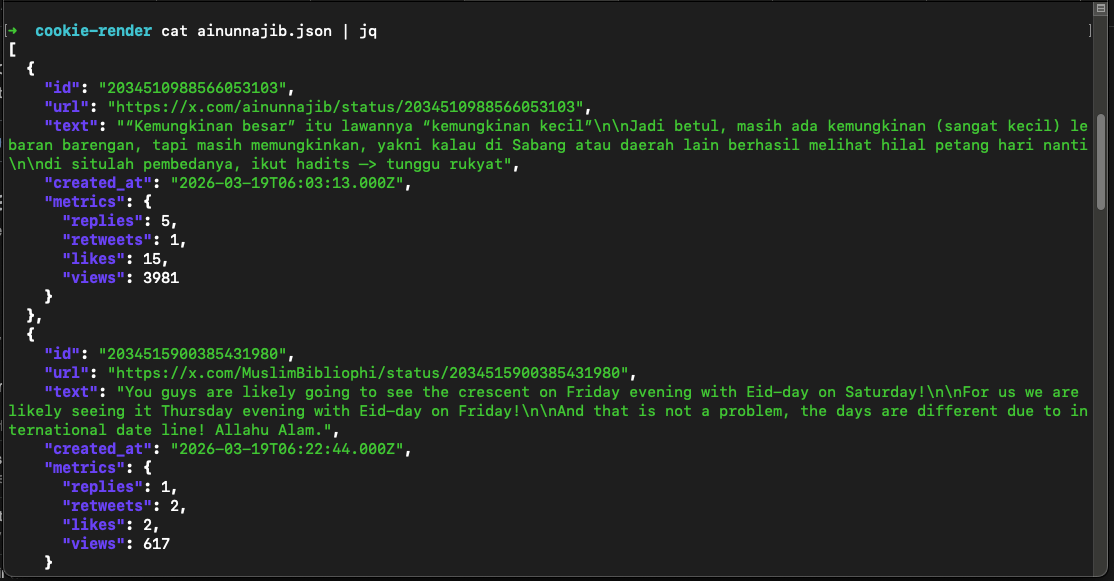
Yeah cool right? yeah AI Agent it’s always cool, AI Agent could more cooler when we supply them with the right tools at the right moments so they will work more efficiently, this is why you guys need to understand what fundamental at everything, i’m grateful growing up at Stackoverflow forums era to debug everything that’s why my fundamental quite good and better at exploiting AI Agent 🤣
Personal Choice of Scrapping
AI Agent could help us at everything, coding just like writing daily notes for them, but combination the right tools for their workflow was make them better, here’s what tools i use for better scrapping results especially for evading the detection of Automation bot
- [ ] Use Playwright
- [ ] Use Plugin
playwright-stealthfor better evade
Scrapping for me not just as much as possible to collect data, but as much as longer also to doing the automation scrape process, if just doing without any stealth things it will just wasting the entire resource don’t mind if you have palm farm at looted land in idk some where in this worlds.
def main():
    print(f"Connecting to CDP session at {CDP_SERVER}")

    with sync_playwright() as p:
        try:
            browser = p.chromium.connect_over_cdp(CDP_URL)
        except Exception as e:
            print(f"Failed to connect! Ensure Chromium is running with --remote-debugging-port on {CDP_URL}")
            print(f"Error: {e}")
            return

        contexts = browser.contexts
        if not contexts:
            context = browser.new_context()
        else:
            context = contexts[0]

        page = context.new_page()

        Stealth().apply_stealth_sync(page)

        page.goto(TARGET_URL, wait_until="networkidle")
        random_sleep(ACTION_DELAY_MIN, ACTION_DELAY_MAX)
Here’s my favorites setup for Scrapping using CDP with Playwright as CDP Clients and playwright-stealth for the additional plugins, and the results will be same actually but yeah more sustainable at all!
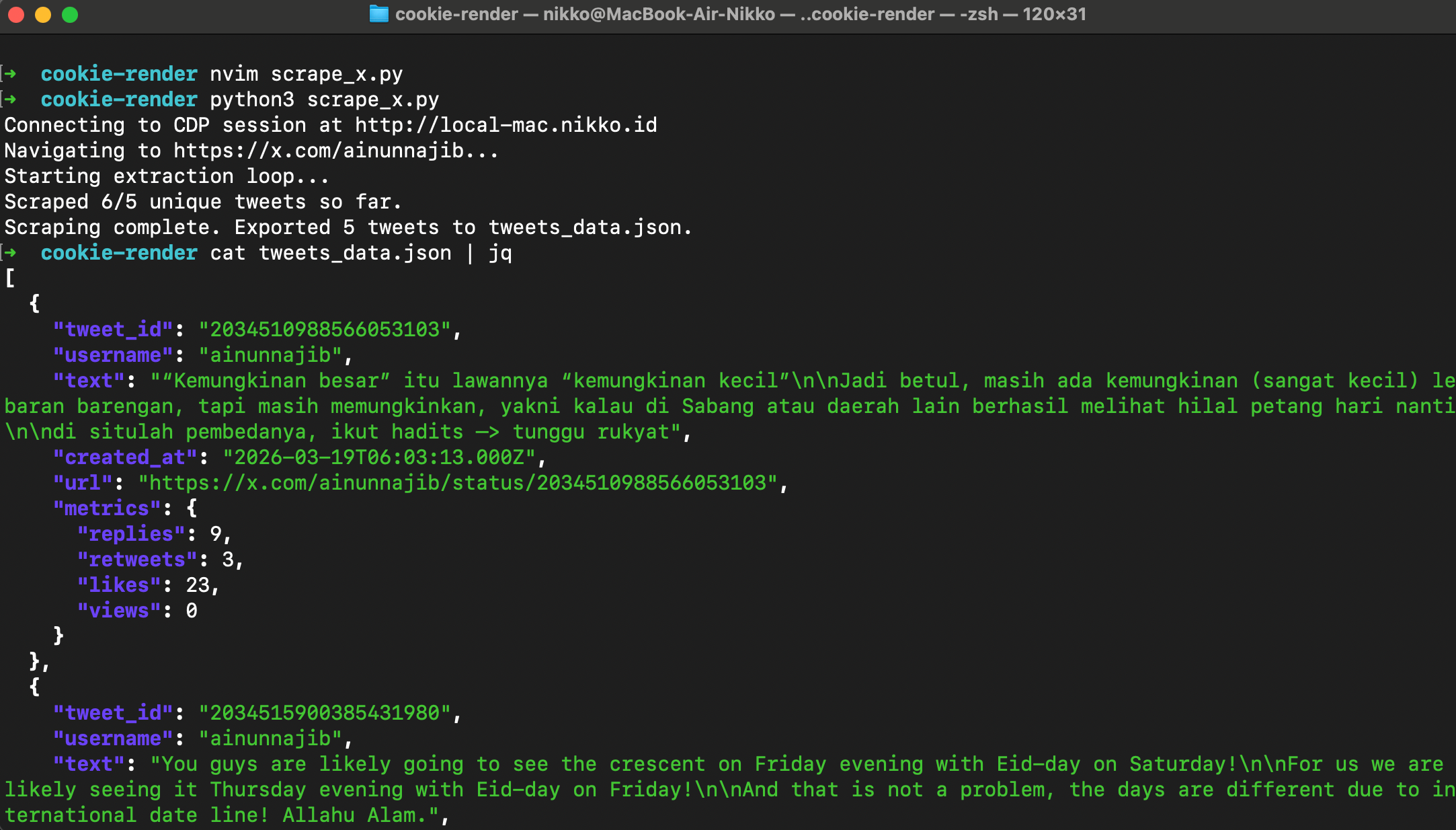
Yeah from my own hand-made scripts it’s quite same results like Gemini-3, not because i’m better than Gemini-3 just because at first place i could doing scripting / coding / programming before AI LLM Agent so popular right now! not me also reject the AI LLM Agent, i do exploit them also 😛
Closing
First of All thank you for reading this, also this artikel supposed to be release when malam takbiran yang setidaknya warga Muhammdiyah so Selamat Hari Raya Idul Fitri teman-temanku semuanya, mohon maaf lahir dan batin untuk kesalahan yang saya sengaja ataupun kesalahan yang maksudnya tidak begitu namun menyakiti teman-teman semuanya! salam dari Nikko dan Keluarga untuk teman-teman ya!